> ## Documentation Index
> Fetch the complete documentation index at: https://docs.hiveku.com/llms.txt
> Use this file to discover all available pages before exploring further.
# Helpdesk Reports
> Volume, response and resolution times, missed targets, satisfaction, and what the assistant resolved on its own
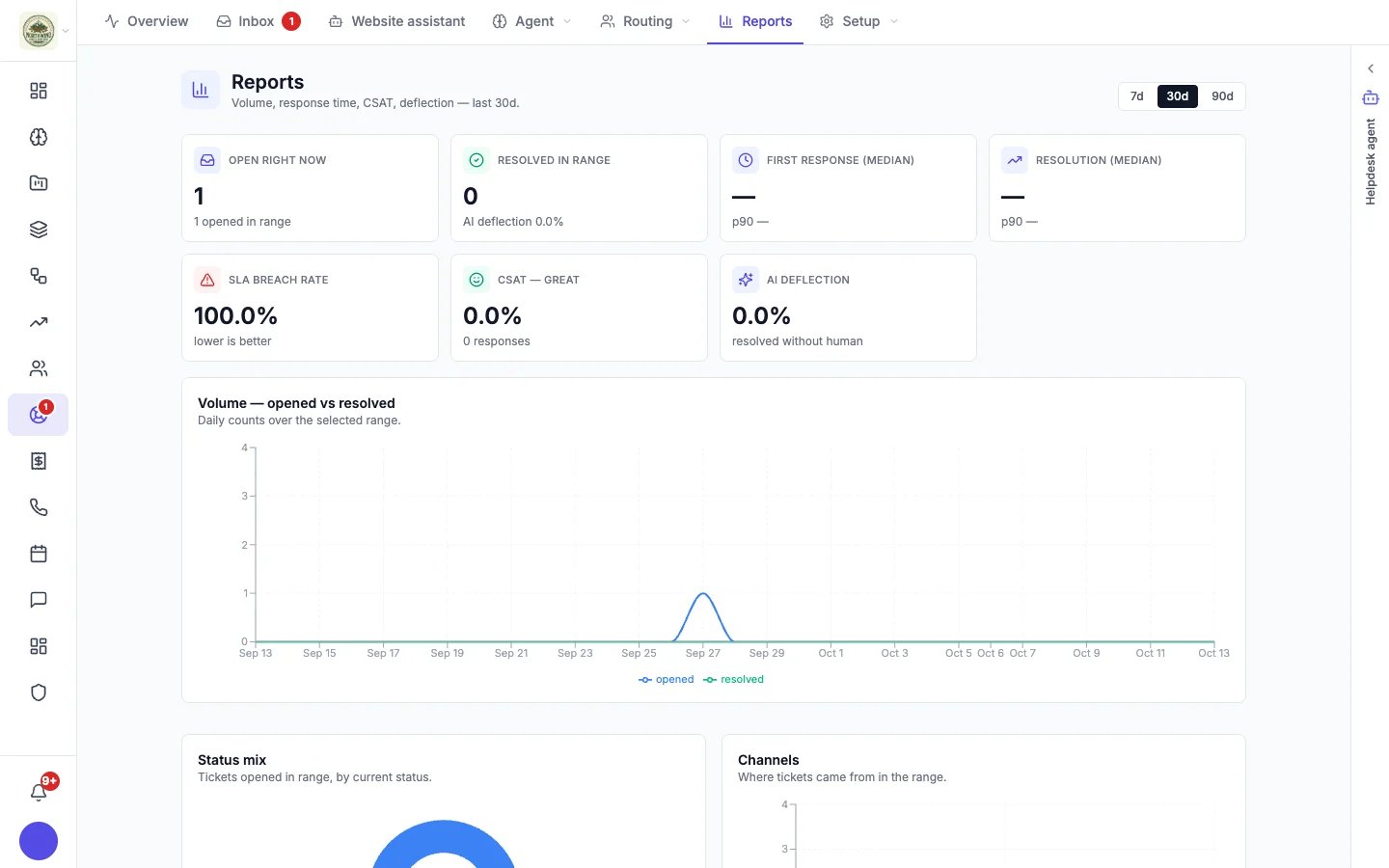
**Helpdesk → Reports** shows how your support is doing over the last 7, 30 or 90 days.
 ## Headline numbers
| Number | What it means |
| - | - |
| **Open right now** | Conversations open at this moment, with how many opened in the range. |
| **Resolved in range** | Conversations resolved in the range. |
| **First response (median)** | How long customers waited for a first reply: the median, and the 90th percentile (how long the slowest tenth waited). |
| **Resolution (median)** | How long conversations took to resolve, median and 90th percentile. |
| **SLA breach rate** | The share of [response time targets](/helpdesk/routing#response-time-targets) (first reply and resolution) that were missed. Lower is better. |
| **CSAT — Great** | The share of [survey](/helpdesk/satisfaction-surveys) answers that were Great, and how many answers you got. |
| **AI deflection** | The share of resolved conversations that were never assigned to a teammate. It includes conversations your team resolved without assigning them. |
## Charts
* **Volume — opened vs resolved**: daily counts, so you can see whether you are keeping up.
* **Status mix**: conversations opened in the range, by their current status.
* **Channels**: where conversations came from (website chat, email, phone, text).
* **Priority mix**: how urgent they were.
* **CSAT trend**: survey answers over time. If surveys are off, it says so, with a link to turn them on.
* **CSAT responses**: what customers actually said, newest first (up to 50 in the range).
* **Top agents**: teammates by conversations resolved, with their satisfaction score.
The Helpdesk **Overview** shows a short version of these for the last 7 days: customer satisfaction, ticket volume, and open conversations by channel.
Your helpdesk agent can turn these numbers into a written weekly report. Type `/weekly-report` in the Helpdesk panel. See [Your helpdesk agent](/helpdesk/helpdesk-agent).
This documentation is built and hosted on [Mintlify](https://mintlify.com), a developer documentation platform.
## Headline numbers
| Number | What it means |
| - | - |
| **Open right now** | Conversations open at this moment, with how many opened in the range. |
| **Resolved in range** | Conversations resolved in the range. |
| **First response (median)** | How long customers waited for a first reply: the median, and the 90th percentile (how long the slowest tenth waited). |
| **Resolution (median)** | How long conversations took to resolve, median and 90th percentile. |
| **SLA breach rate** | The share of [response time targets](/helpdesk/routing#response-time-targets) (first reply and resolution) that were missed. Lower is better. |
| **CSAT — Great** | The share of [survey](/helpdesk/satisfaction-surveys) answers that were Great, and how many answers you got. |
| **AI deflection** | The share of resolved conversations that were never assigned to a teammate. It includes conversations your team resolved without assigning them. |
## Charts
* **Volume — opened vs resolved**: daily counts, so you can see whether you are keeping up.
* **Status mix**: conversations opened in the range, by their current status.
* **Channels**: where conversations came from (website chat, email, phone, text).
* **Priority mix**: how urgent they were.
* **CSAT trend**: survey answers over time. If surveys are off, it says so, with a link to turn them on.
* **CSAT responses**: what customers actually said, newest first (up to 50 in the range).
* **Top agents**: teammates by conversations resolved, with their satisfaction score.
The Helpdesk **Overview** shows a short version of these for the last 7 days: customer satisfaction, ticket volume, and open conversations by channel.
Your helpdesk agent can turn these numbers into a written weekly report. Type `/weekly-report` in the Helpdesk panel. See [Your helpdesk agent](/helpdesk/helpdesk-agent).
This documentation is built and hosted on [Mintlify](https://mintlify.com), a developer documentation platform.