

See who is waiting
Click Helpdesk in the left rail. The red number on its icon, and on Waiting for you in the Inbox, is how many people are waiting for your team.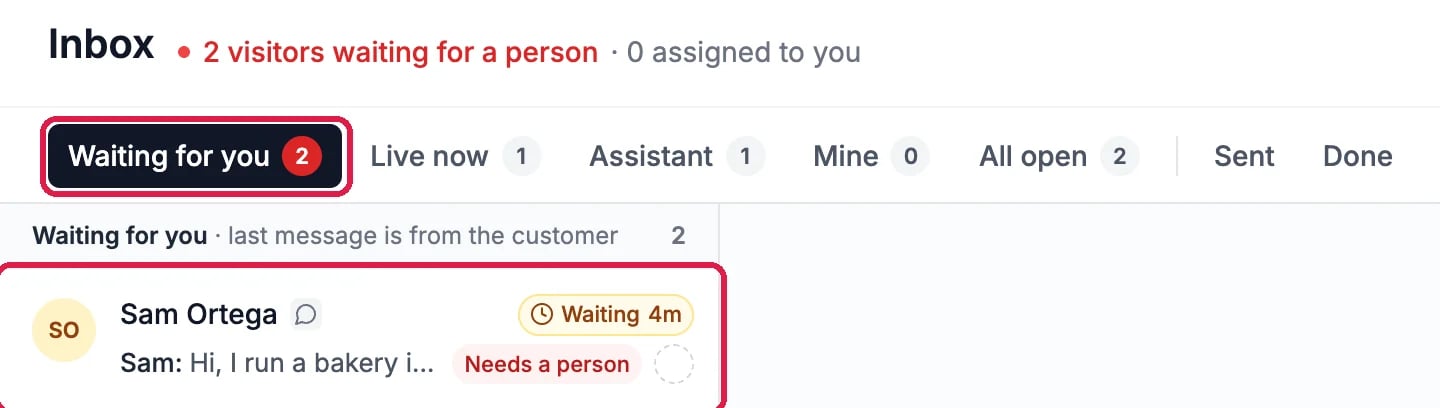
A visitor waiting for a person
Take the chat
Click the chat to open it. The banner says the visitor is waiting, and the panel on the right says why it came to you, for example The visitor asked for a person. Click Take this chat so your team knows you have it. (Replying takes it too.)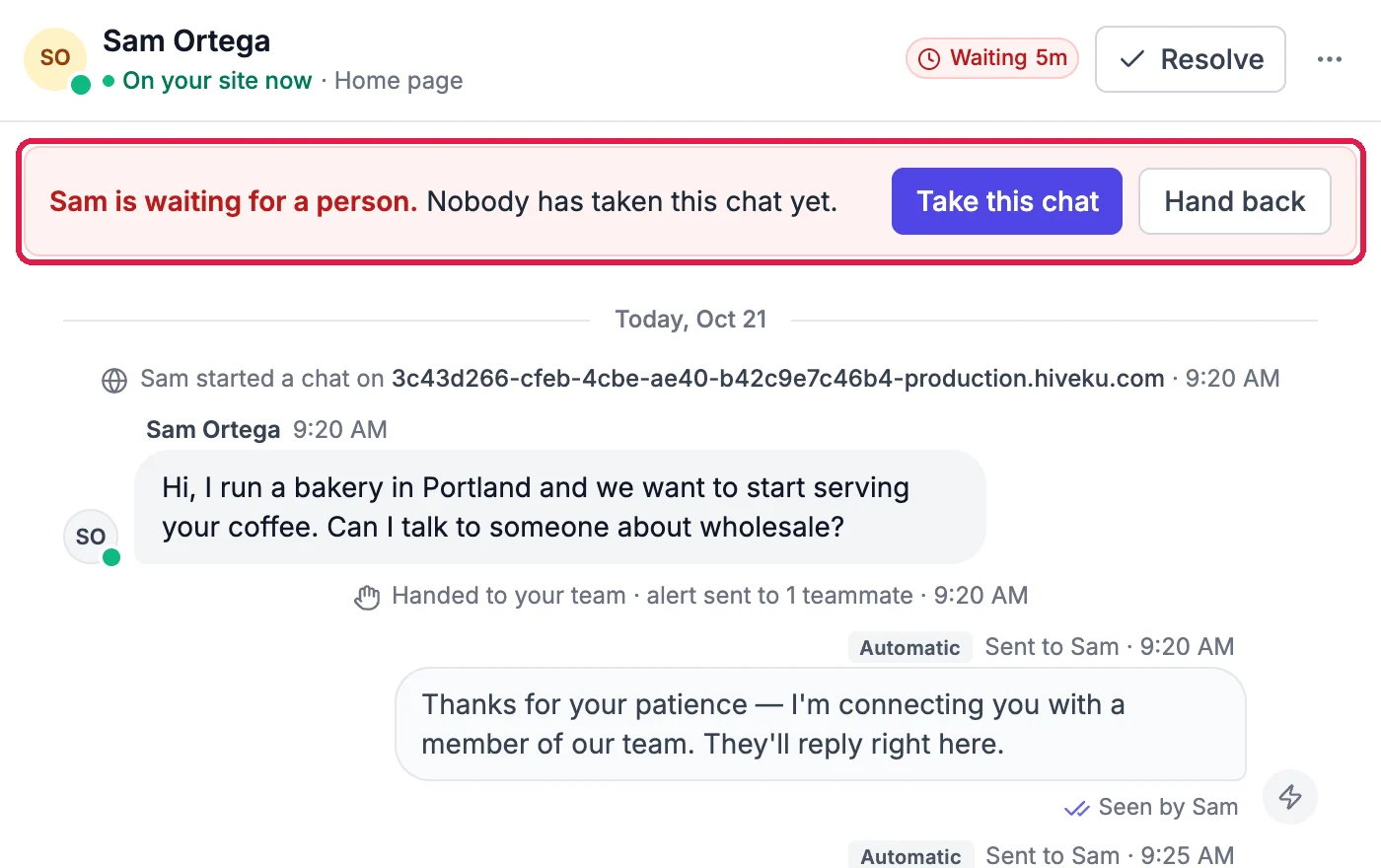
Sam is waiting for a person
Reply
Type in Reply at the bottom, or click Saved replies to start from one (see Save Replies You Send Often), and click Send. The banner now says your team is chatting with the visitor, and your reply is in the conversation.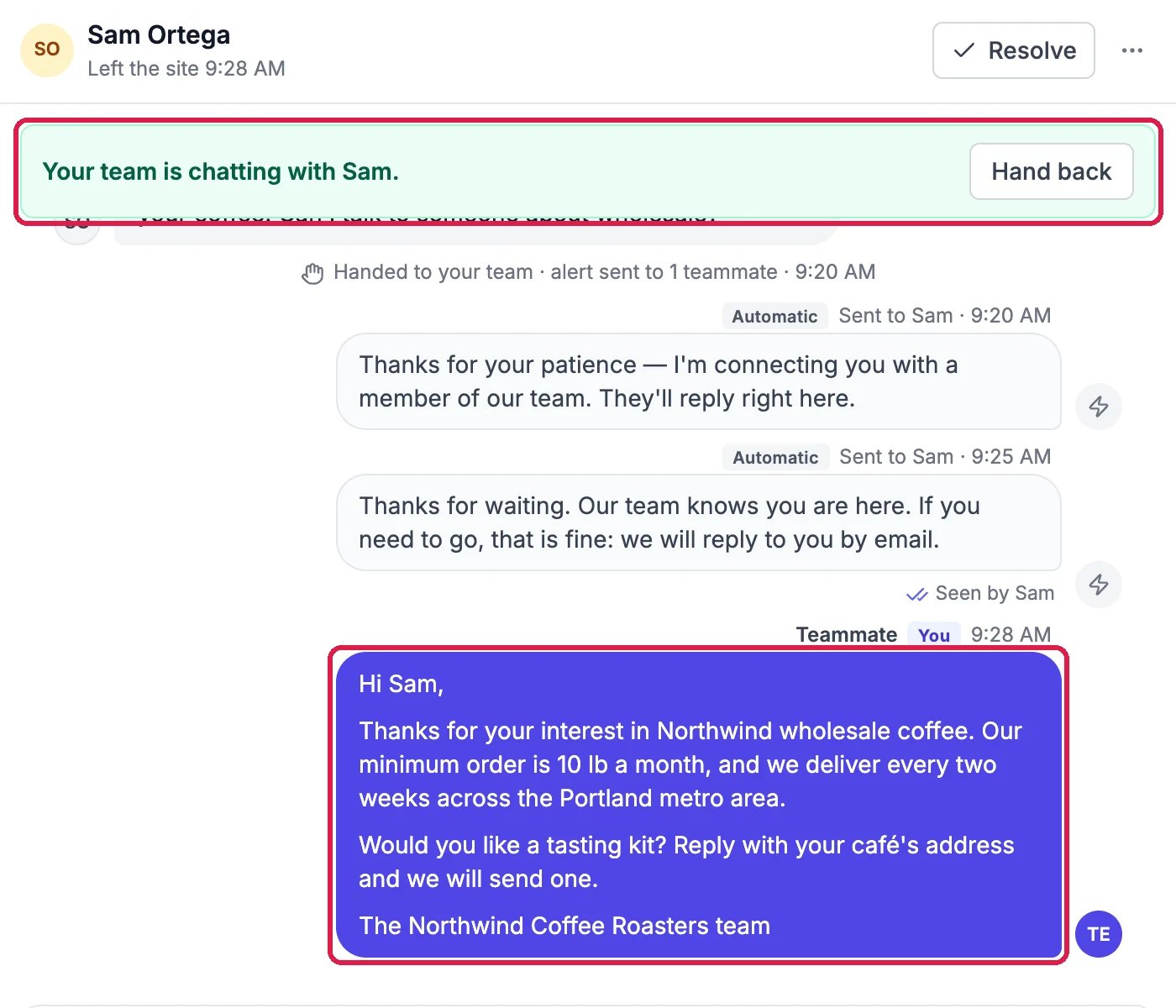
Your reply, in the conversation
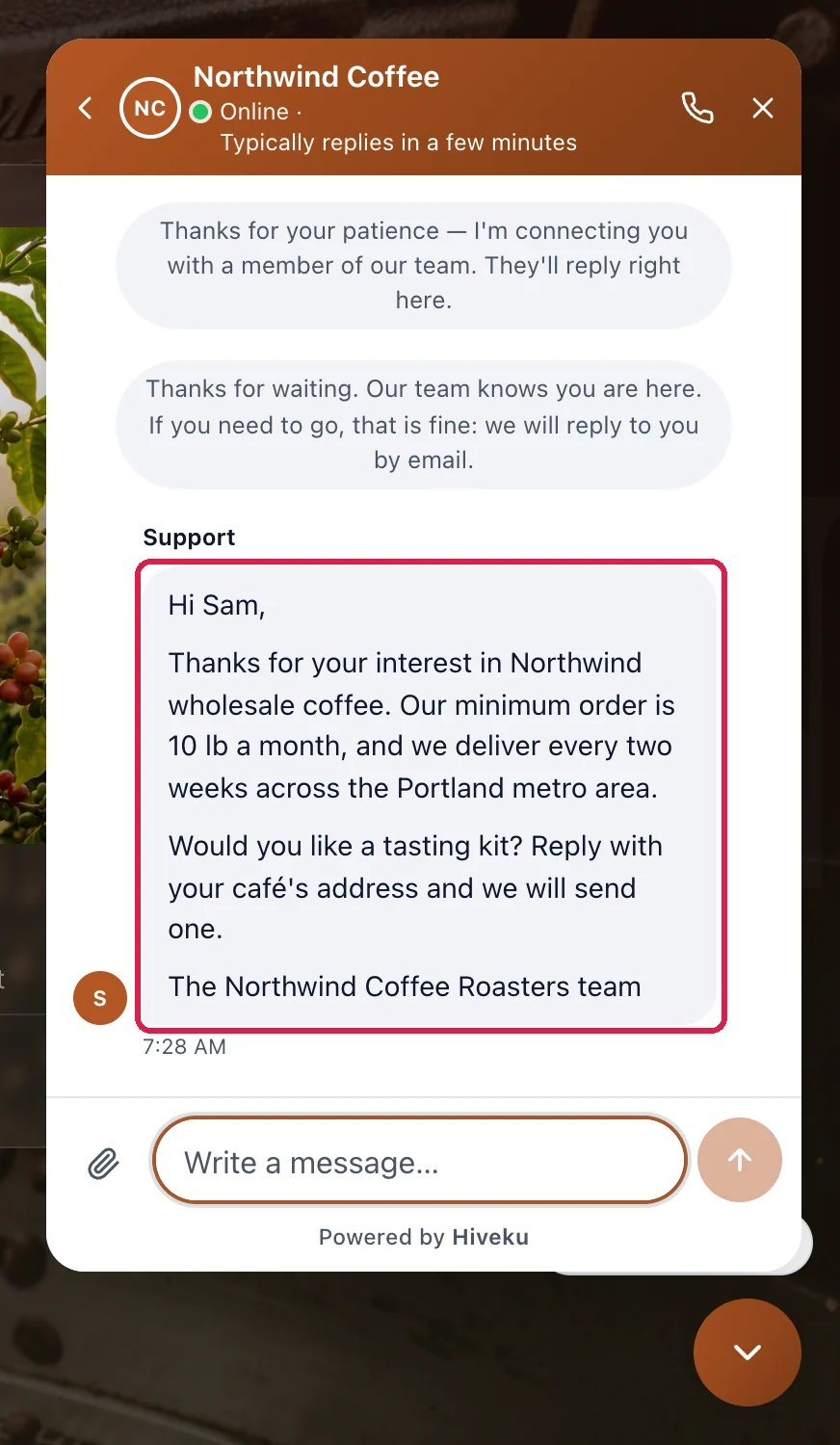
What Sam sees on the Northwind site
If the visitor has left
After a few minutes of waiting, a visitor who left an email address is told your team will reply by email, and one who did not is asked to leave one in the chat. Reply in the same way: the panel on the right says when they left the site, and your reply reaches them by email.Good to know
- Hand back returns the chat to your website assistant.
- Resolve at the top right closes the conversation when it is done. It moves to Done, and a new message from the visitor opens it again.
- Never miss one: Get Alerted When a Visitor Is Waiting.
- More: The Inbox and Working a conversation.