Your plan sets how much of each thing your account includes: sites, teammates, contacts, emails, storage and more. The Billing page shows your plan next to the others, how much you have used this month, and where to add a card or more AI credits. This guide reads Northwind’s plan and usage. Only the account owner and admins can change the plan or payment details.

See your plan

Click Settings at the bottom of the left rail, then Billing. Under Plan, your plan is marked CURRENT, with the AI tier and monthly AI credits it includes. What’s included lists each plan’s allowances.
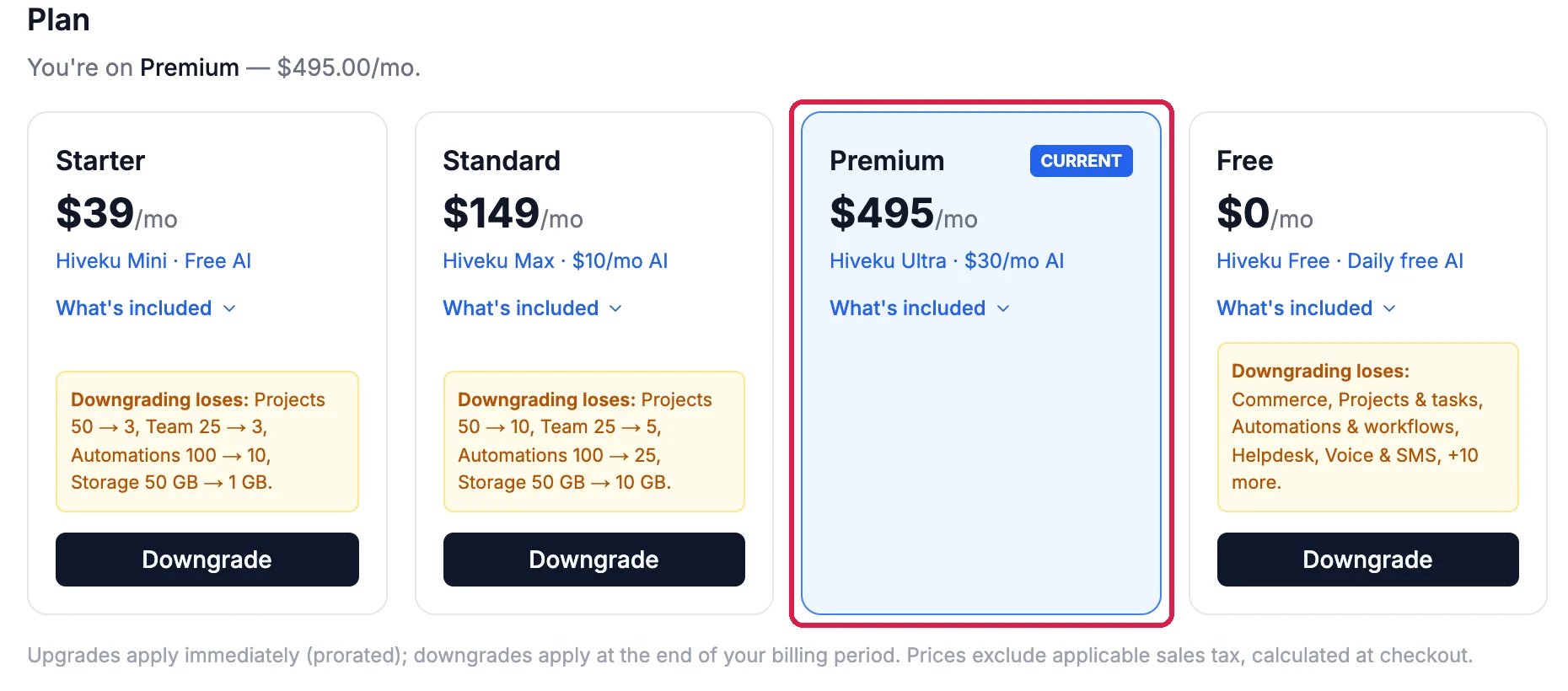
Plan: You're on Premium, $495.00 a month; the cards Starter $39, Standard $149, Premium $495 marked Current and outlined, and Free $0, each with What's included, and Downgrade on the others with what downgrading loses

Northwind is on Premium

Each other plan says what changing to it would add or take away. An upgrade starts straight away, and you pay the difference for the rest of the month. A downgrade starts at the end of your billing period.

See what you’ve used

Your usage this period shows each allowance as used / included, with a bar. Click Projects to see each site’s own bandwidth, storage and add-ons.
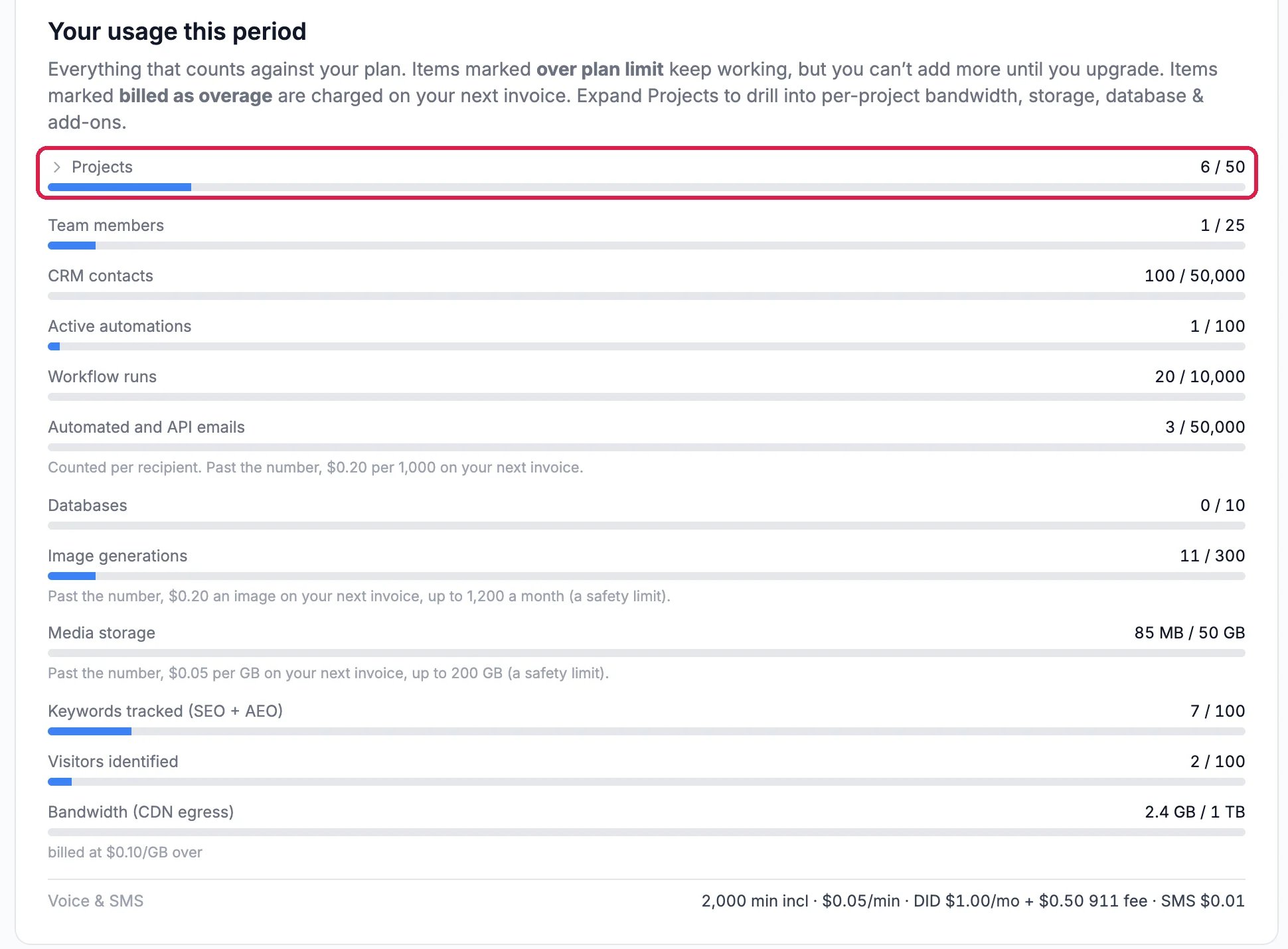
Your usage this period: Projects 6 of 50, outlined, then Team members 1 of 25, CRM contacts 100 of 50,000, Active automations, Workflow runs, Automated and API emails, Databases, Image generations, Media storage, Keywords tracked, Visitors identified, Bandwidth and Voice and SMS

Northwind's usage this month

  • Over plan limit: what you already have keeps working, but you can’t add more until you upgrade.
  • Billed as overage: you can keep going, and the extra is charged on your next invoice at the rate shown under Usage & add-ons.

Add a card, buy credits, choose what happens at the limit

Further down are your payment method and the options for AI credits.
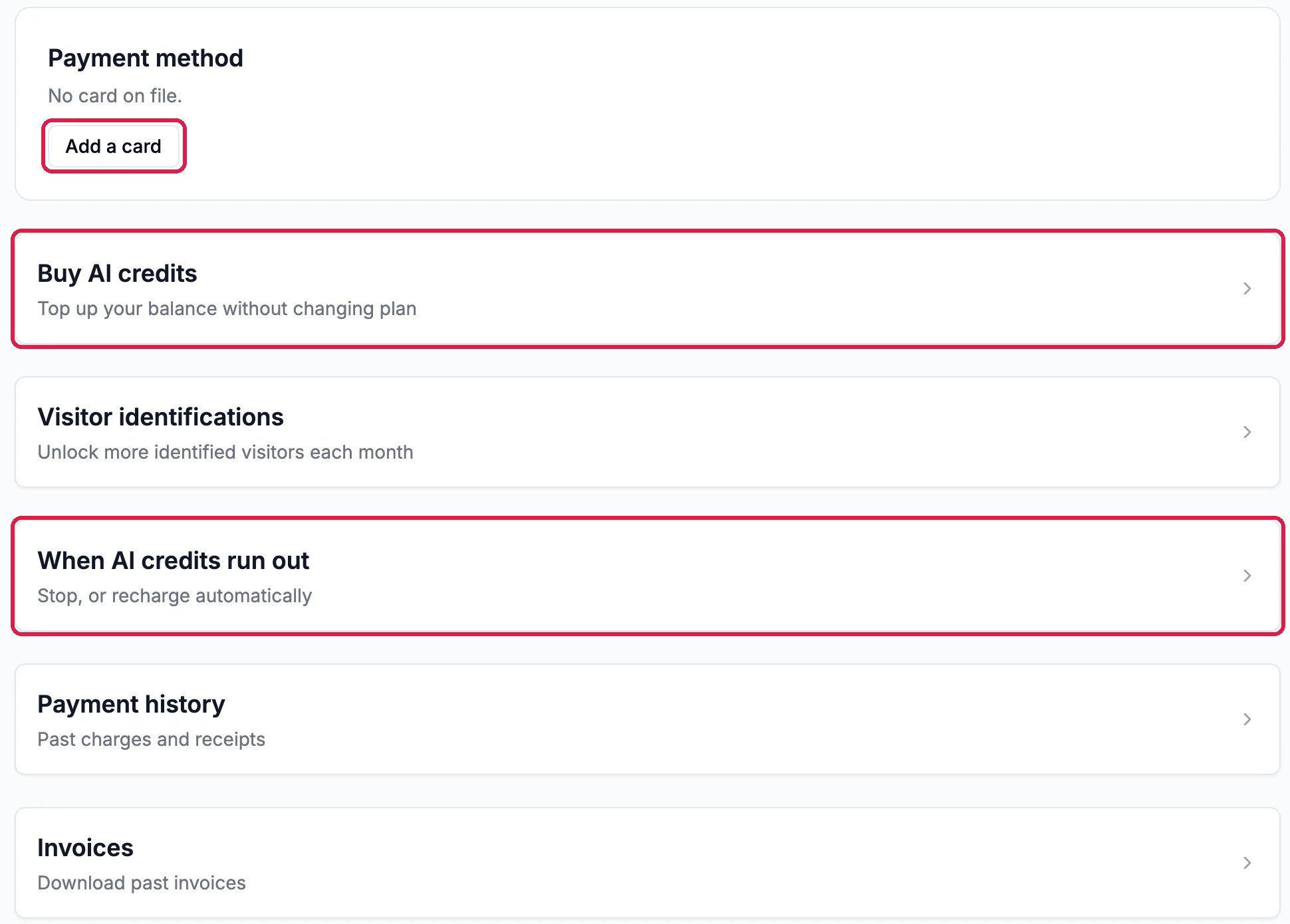
Payment method, No card on file, with Add a card outlined; Buy AI credits, Top up your balance without changing plan, outlined; Visitor identifications; When AI credits run out, Stop or recharge automatically, outlined; Payment history and Invoices

Card, credits, and what happens when they run out

  • Add a card to pay for your plan and anything past it.
  • Buy AI credits tops up this month’s AI balance without changing your plan.
  • When AI credits run out decides what happens once this month’s AI credits are used up.
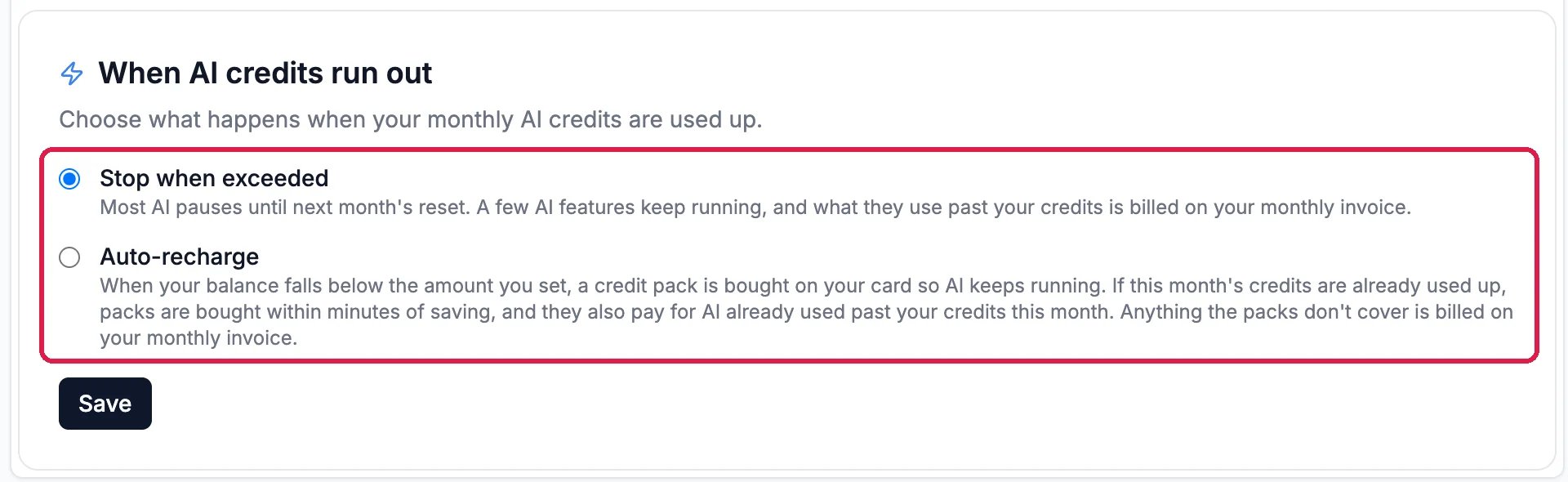
When AI credits run out: Stop when exceeded, chosen, most AI pauses until next month's reset; and Auto-recharge, a credit pack is bought on your card when your balance falls below the amount you set; both outlined, with Save

Stop, or recharge automatically

Pick Stop when exceeded to keep your bill fixed: most AI pauses until the next month. Pick Auto-recharge to keep AI running: a credit pack is bought on your card when your balance runs low. Click Save.

Good to know

  • Past bills. Payment history lists charges and receipts, and Invoices has every invoice to download.
  • More identified visitors. Visitor identifications adds packs of 100 a month past what your plan includes.
  • Every plan and rate is listed in Billing.