

Open your sales agent
On a computer, your sales agent’s panel is on the right of the CRM overview and of every contact, company and deal page. If you closed it, click Ask and your agent’s name: a button at the bottom right of the CRM overview, or a tab at the right edge of a contact, company or deal page. + starts a new chat. If you don’t see it at all, your sales agent is switched off. An owner or admin can click Set up your sales agent at the top of the CRM overview, then Switch on. For quick, common questions, click a shortcut, such as /summarize-pipeline or /daily-standup, to put it in the box, then press Enter. Type / in the box to see them all.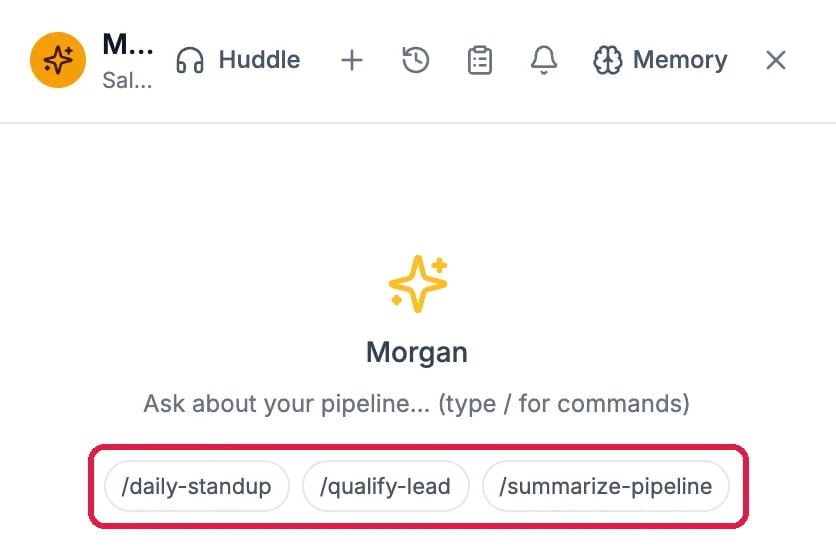
A new chat with the sales agent, and its shortcuts
Ask in your own words
Type your question in the box under the chat and press Enter. The agent says what it will check, then shows each step as it reads your records.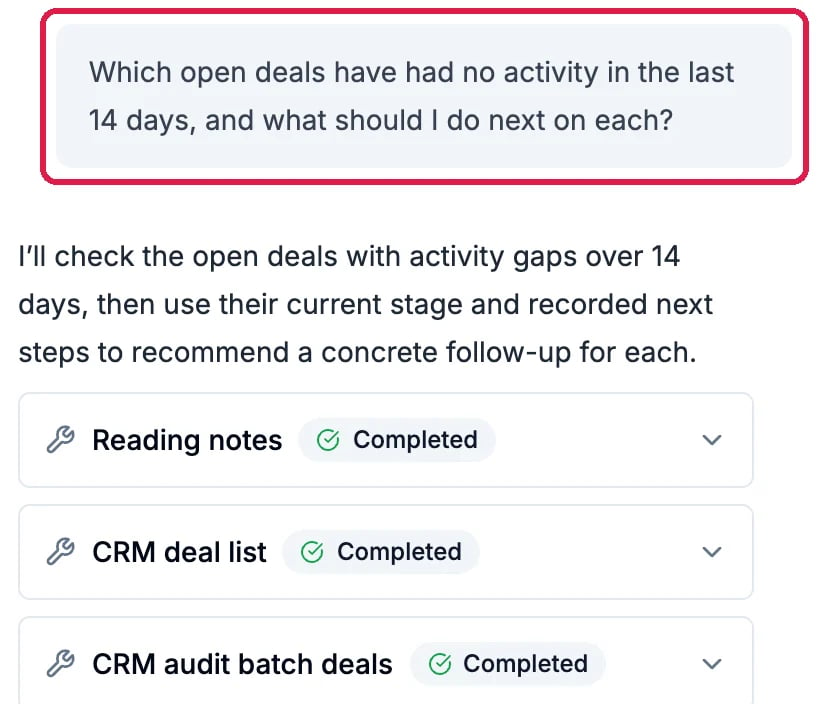
Which deals have gone quiet?
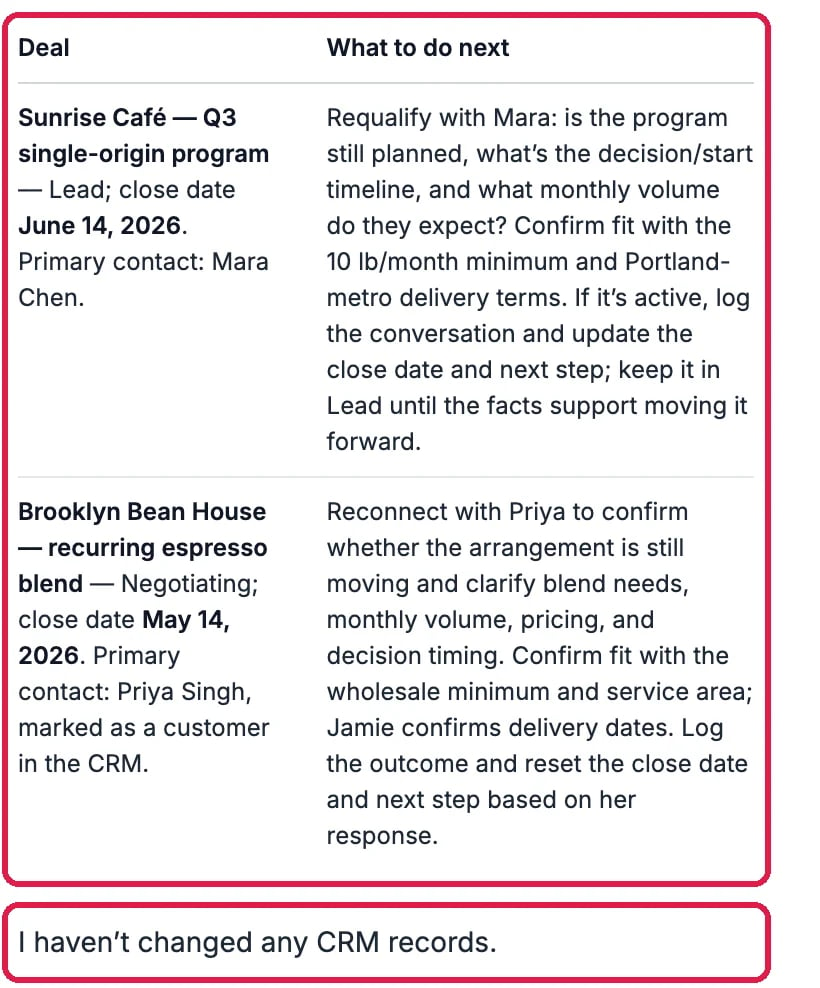
A next step for each quiet deal
Have it draft a follow-up
Ask for the message you need, for example “Draft a short check-in email to Mara about the Sunrise Café program”. The agent checks the contact first, then writes the draft in the chat. Copy it, change it, or ask for another version.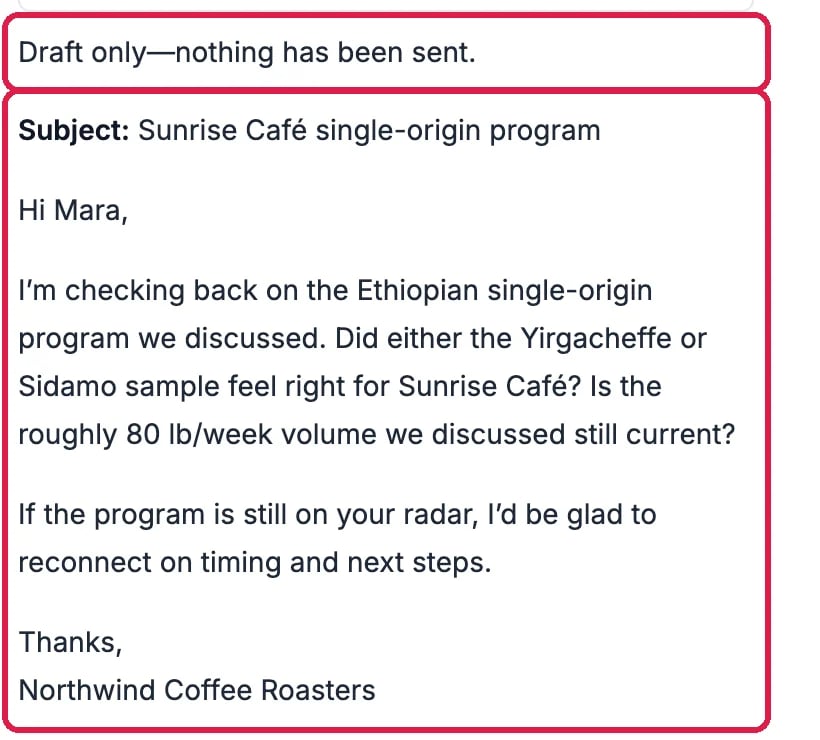
A draft, and nothing sent
Good to know
- Auto, Chat or Job. Above the box, Chat talks things through and changes nothing unless you ask it to. Job works through a longer task without stopping to check in, then sums up what it did; an email still waits for your OK. Auto picks one from what you ask.
- The same chats, everywhere. Your chats with the agent are also in Memory, on the agent’s chat tab.
- It works your way. Your sales agent follows About your business and its own rules and skills.
- More: Plan Your Follow-Ups with Tasks and Ask Your Chief of Staff to Get Something Done.