

Choose the number each phone shows
Click Communications in the left rail, then Routing at the top, then Extensions. In each phone’s row, Outbound caller ID sets the number it shows when it calls out:- Account default number: your account’s main number.
- One of your numbers, such as Main Number.
- Anonymous (Blocked): no number is shown.

The desk phone shows the main number
Register your business name
Click Numbers under Routing. Caller reputation, under the list of numbers, lists three steps that stop carriers labeling your calls as “Potential Spam”.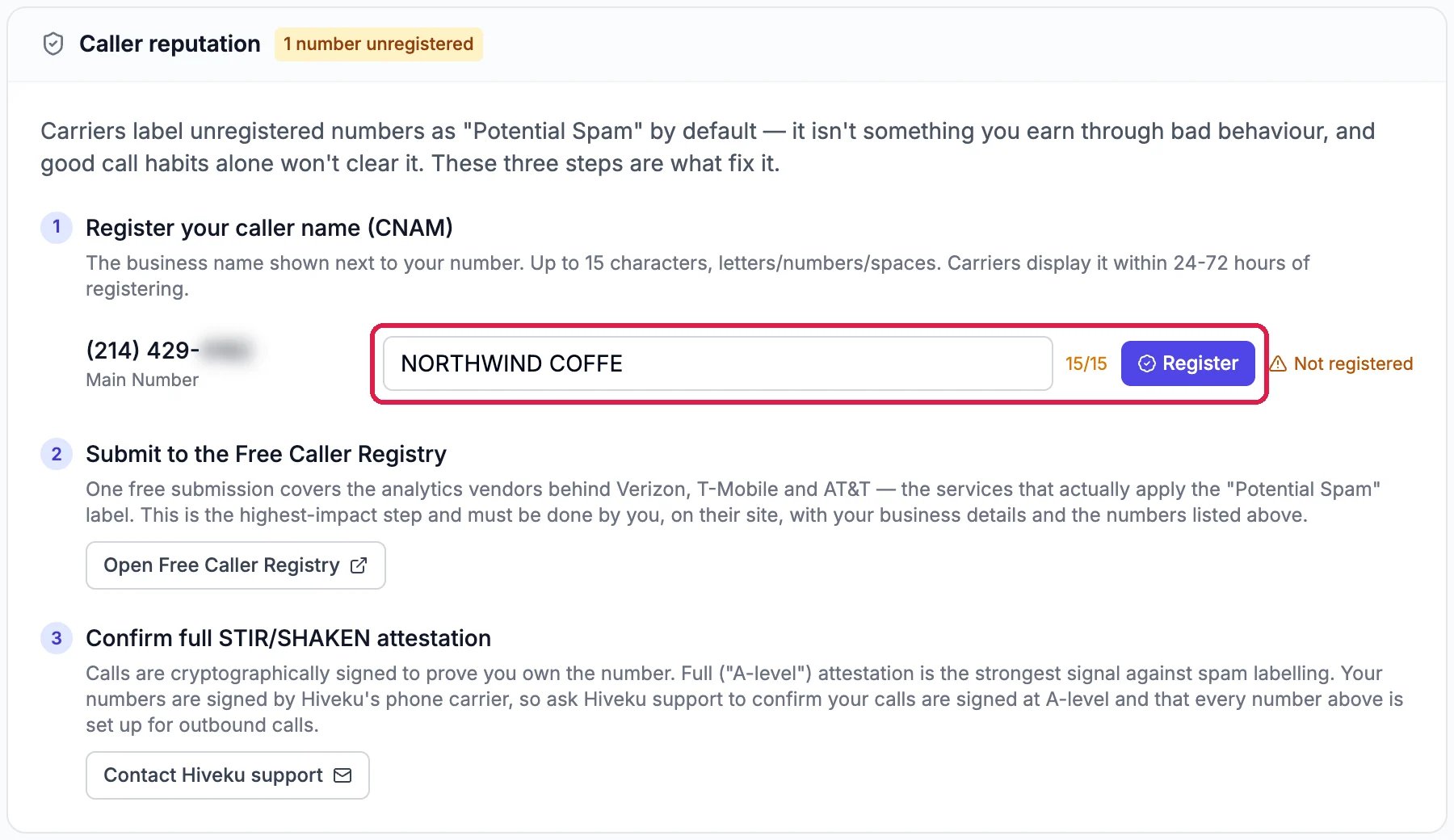
Caller reputation, with the name typed in
1
Type your caller name and register it
Next to each number, type the name callers should see: up to 15 letters, numbers and spaces. Click Register. Carriers start showing it within 24 to 72 hours. Northwind stopped before clicking Register.
2
Submit your numbers to the Free Caller Registry
Click Open Free Caller Registry and submit your business and your numbers on their site. One free submission covers the services behind the main US mobile carriers, the ones that apply the “Potential Spam” label. Only you can do this step.
3
Ask Hiveku to confirm your calls are signed
Click Contact Hiveku support and ask us to confirm your calls carry the strongest signature that they come from your number, and that every number is set up for calls out.
Good to know
- Check it worked. Call your own mobile from the phone icon at the top right: it should show the number and name you chose. The call is listed under Calls.
- Texts too. The number an extension shows is also the one its texts come from.
- More detail: Phone numbers and Compliance and recording.