

Run a report
1
Open Domains
Point to your profile picture at the bottom of the left rail, click Settings, then Domains.
2
Type the domain
Under Run a DNS report, type the domain and click Run report. It takes a few seconds.
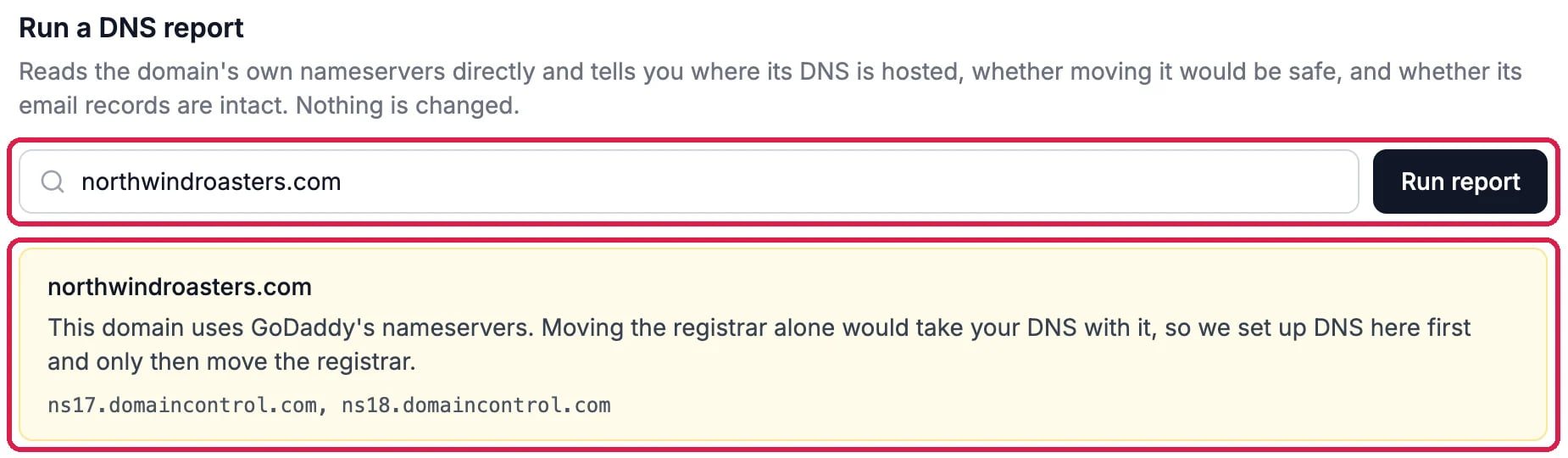
Where northwindroasters.com's DNS is hosted
Read the checks
Each check has a green tick when it is fine, an orange warning when it needs a look, and a red cross when something must be fixed first. A gray question mark means the report couldn’t read that record. The checks are:- Registry delegation: which nameservers answer for the domain.
- DNSSEC: whether the domain is signed, which matters only if you move its nameservers.
- Mail routing (MX): whether the domain receives email.
- Sender policy (SPF), DMARC policy and DKIM signing keys: the records that tell other mail services your email is really from you.
- Certificate authority policy (CAA): which certificate authorities may issue certificates for the domain.
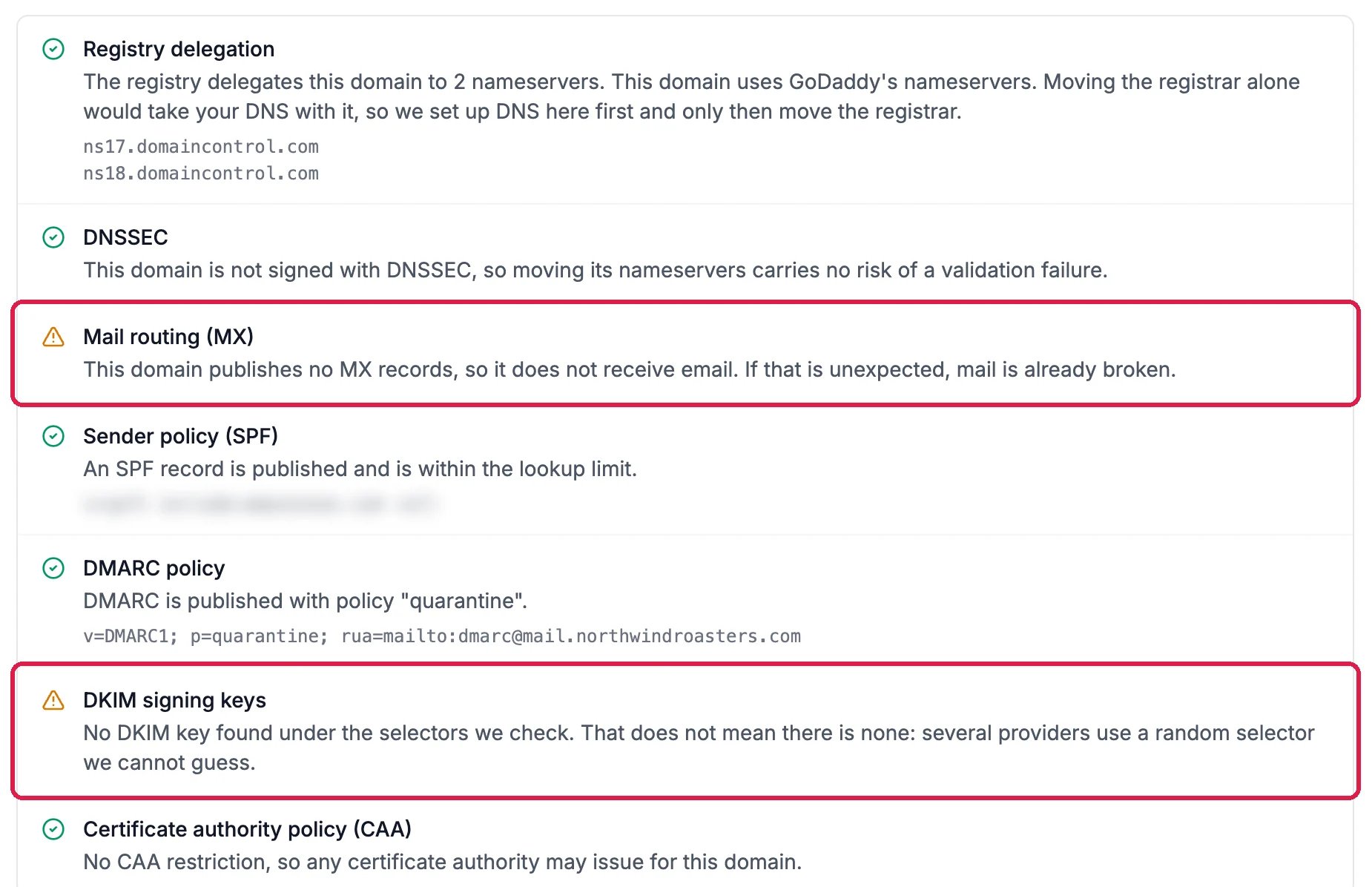
Two things to look at on northwindroasters.com
See the domains your sites use
Connected domains lists every domain on the account, across all your sites. Click one to see each hostname, the site and environment it serves, and whether its certificate is active.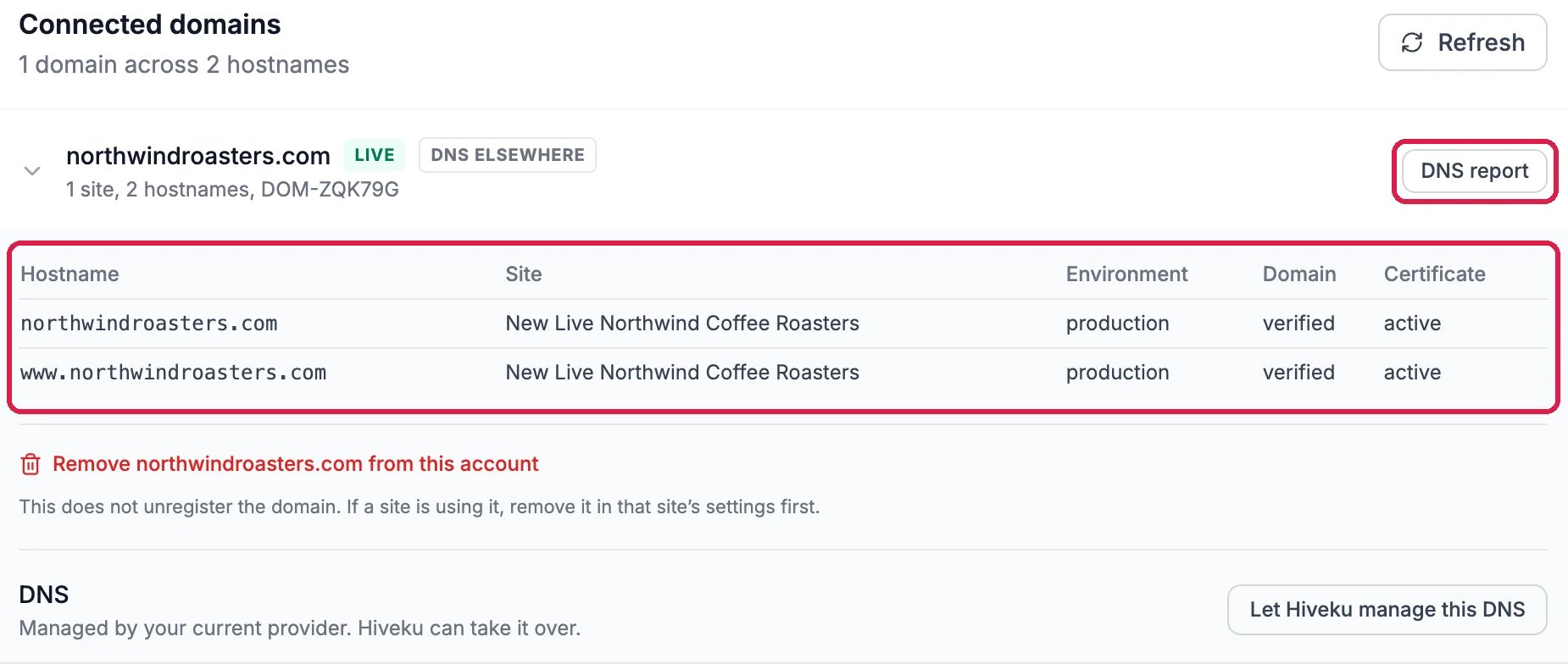
northwindroasters.com and the site it serves
Good to know
- Nothing is changed. A report only reads. Under a connected domain, Let Hiveku manage this DNS and the red link that removes the domain from the account are separate actions that do change things.
- Moving a domain to Hiveku? Move a domain you already own, on the same page, checks what the move would do before anything happens.
- More: Connect Your Own Domain and Domains.