

Open the assistant
On any Commerce page, click Ask accounting at the bottom right. The assistant opens on the right, and it knows which page you are on.
Ask accounting, on every Commerce page
Ask your question
Type your question in Ask the accounting agent… and press Enter, or click the send arrow.
Northwind's question
Read the answer
The assistant shows what it is checking as it goes, such as Checking what clients owe and Loading invoices, then answers. Northwind’s answer took about a minute.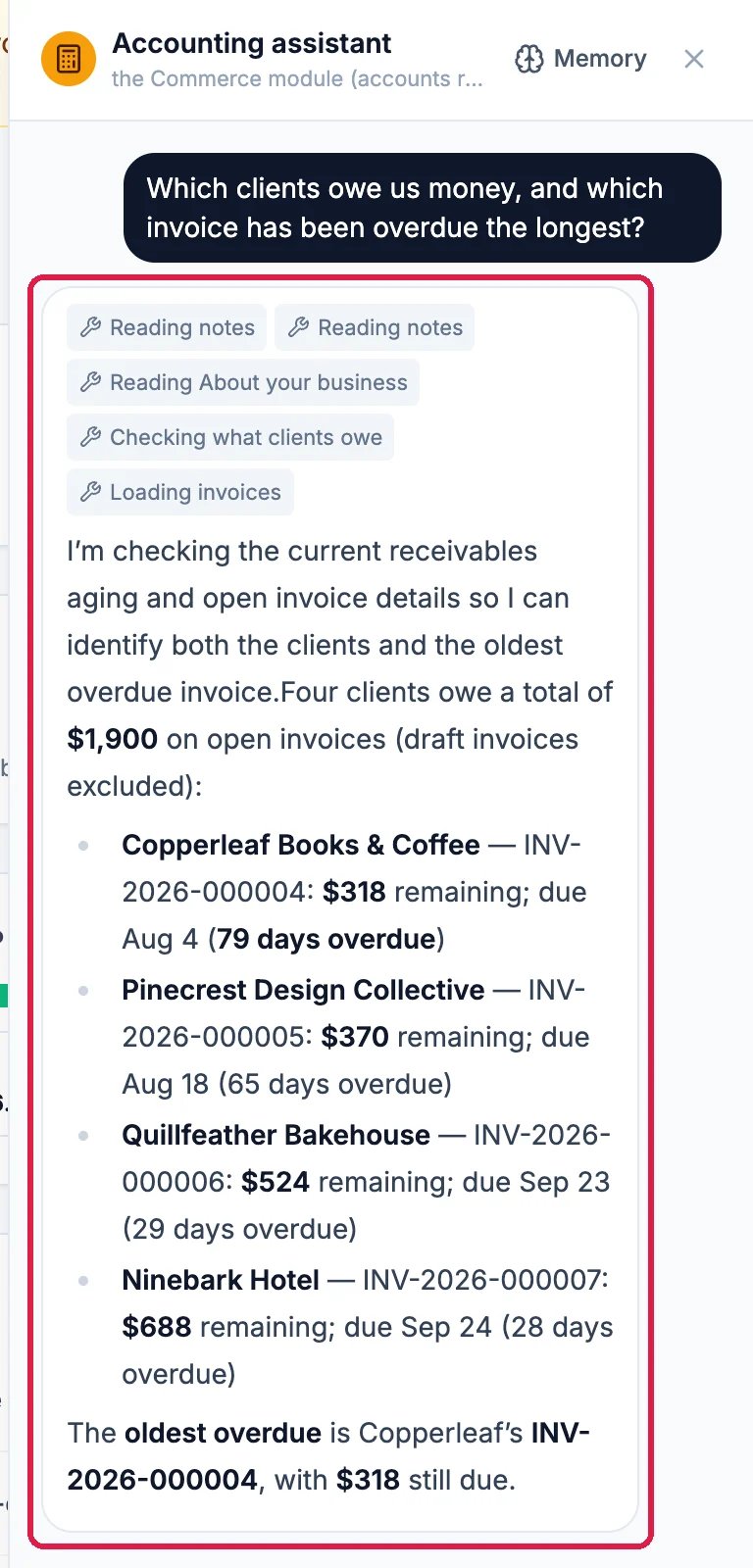
Four clients, and the oldest overdue invoice
Good to know
- Things to ask: “How did we do this month?”, “Which bills are due in the next two weeks?”, “What did we spend on packaging this quarter?”, “Who are our biggest clients this year?”
- It asks before it moves money. When you ask it to approve a bill, record a payment or run payroll, it prepares the action and shows a card for a person to Approve or Cancel. Nothing happens until someone approves it.
- Teach it your ways: Memory at the top of the assistant opens its notes and rules, such as how you like reports laid out.
- More: Find and Chase Overdue Invoices shows the same numbers in the Accounts aging report.