

Ask for the reminder
Click CRM in the left rail and open the sales agent’s chat on the right. Click + for a fresh chat, then say when and what to check. Click the arrow to send.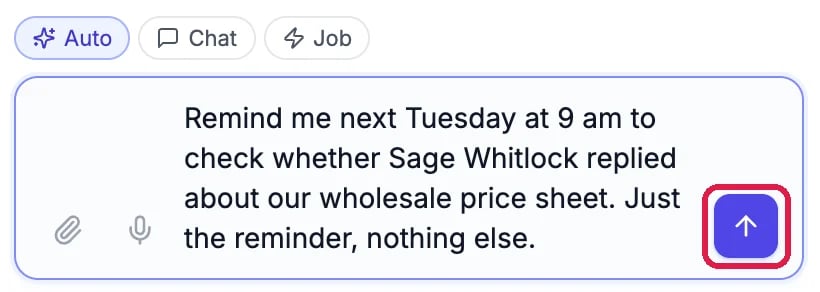
The request
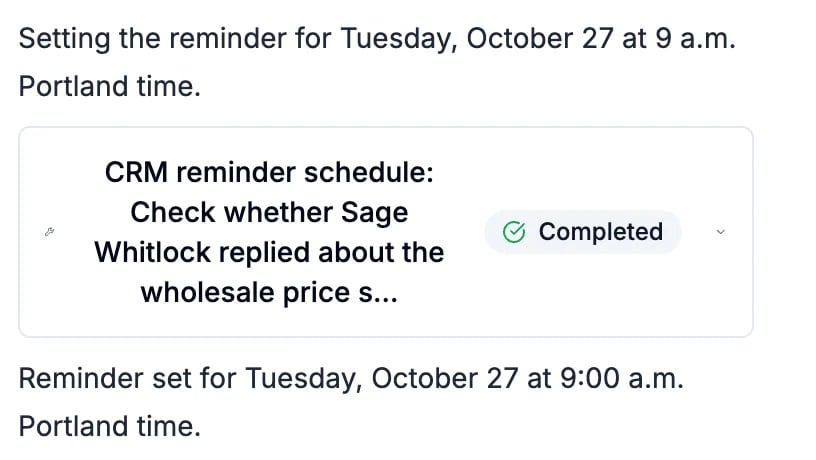
The agent's answer
See your reminders
Click Agent at the top of CRM, then Reminders. Each reminder shows its status, its name and when it fires next.
The reminder, scheduled
The list shows the time in your computer’s time zone. Northwind’s reminder is 9 a.m. in Portland, which this screen showed as 11:00 AM because the computer was two hours ahead.

What the agent will do
Cancel a reminder
Click Cancel on its row, then Cancel reminder. Nothing else about the contact changes.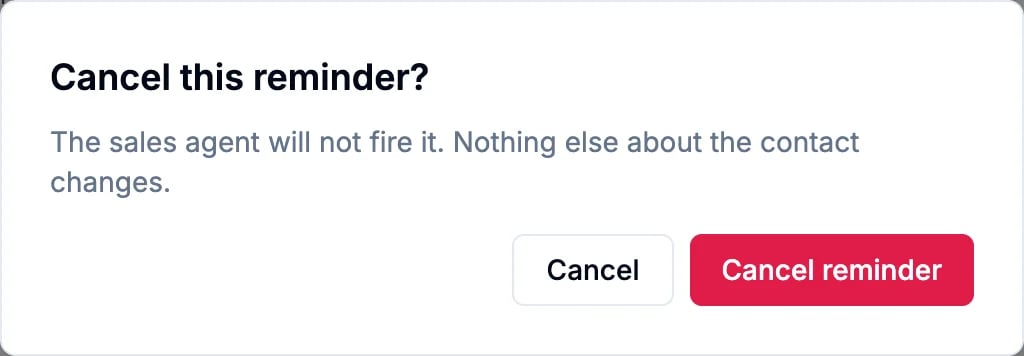
Confirm the cancel

Cancelled
Good to know
- Up to a week ahead: a reminder can be set for any time in the next 7 days.
- Repeat it: ask for “every Monday at 9 am” and the agent sets a repeating reminder. It stops after 10 times unless you ask for more.
- It counts as AI use when it fires, like a chat with your agent. Cancel reminders you no longer need.
- More: AI SDR Reminders covers every option, and Ask Your Sales Agent About Your Pipeline shows the chat.