

Add a recurring bill
Click Commerce in the left rail, then Recurring under Payables. Click New recurring and fill in:- Name: what the bill is, for example “Roastery office rent”.
- Vendor: who you pay. Pick one from your vendors, or leave it empty.
- Amount (USD): what each bill comes to.
- Description: a line for the bill.
- Category: where the cost belongs in your books, such as Rent, Software or Utilities.
- Every: how often, for example 1 and month(s). Days, weeks and years work too.
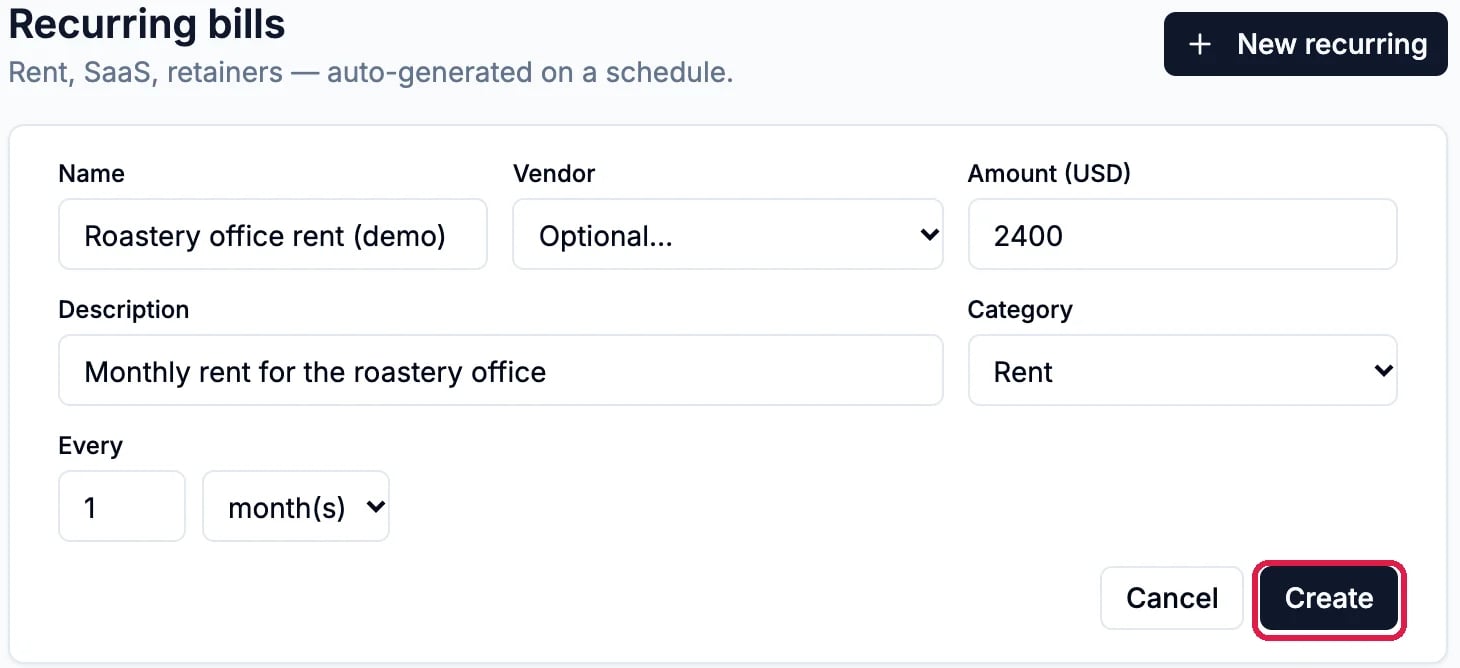
A monthly rent bill

The schedule, active
Pause or delete it
Click Active on the row to pause it: it turns to Paused and makes no more bills. Click Paused to start it again; it picks up at its next date and doesn’t bill dates it missed.
Paused
Good to know
- Change the amount or repeat with the pencil on the row. Changing how often it repeats sets a new next date, without billing again right away.
- Archiving a vendor pauses their recurring bills at their next date, so you stop paying someone you no longer use.
- Record paying a bill: see Enter a Bill and Record That You Paid It.