

Open Reports
Click Helpdesk in the left rail, then Reports at the top. Pick 7d, 30d or 90d at the top right for the period to cover.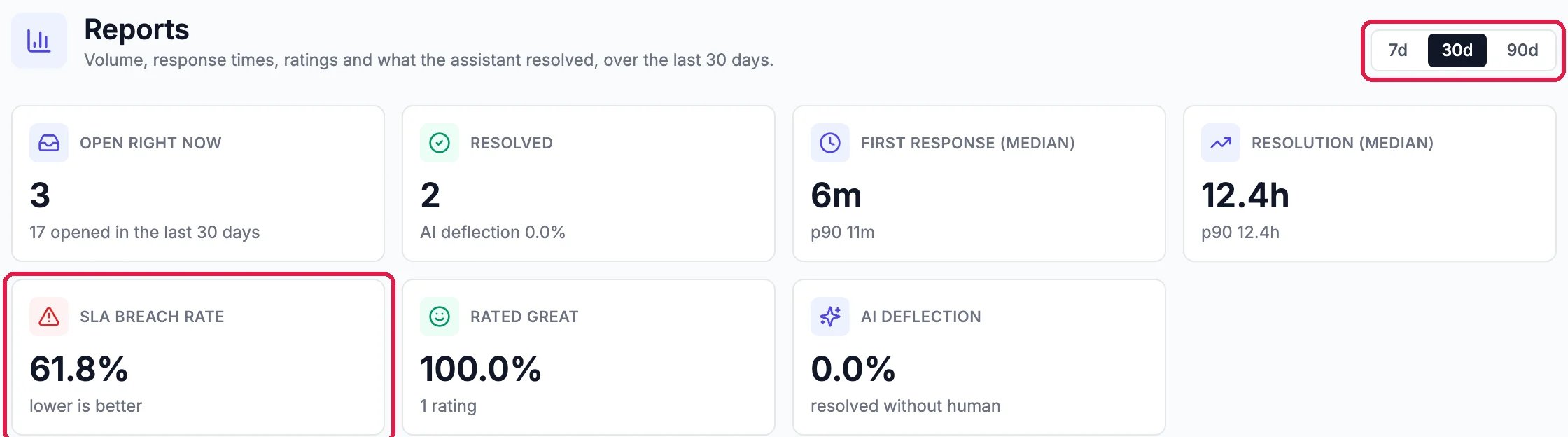
Northwind's last 30 days
- Open right now: conversations still waiting, and how many came in during the period.
- First response and Resolution: how long customers usually waited for a first answer and for the end of the conversation. p90 is how long the slowest one in ten waited.
- SLA breach rate: the share of conversations that missed your response time targets. Lower is better. Set the targets in Routing, SLA.
- Rated great: the share of customer ratings that were Great.
- AI deflection: the share your website assistant resolved on its own, without a person.
See when tickets came in
Volume plots, day by day, how many conversations were opened and resolved. A peak shows a busy day; a gap between the two lines shows a backlog building up.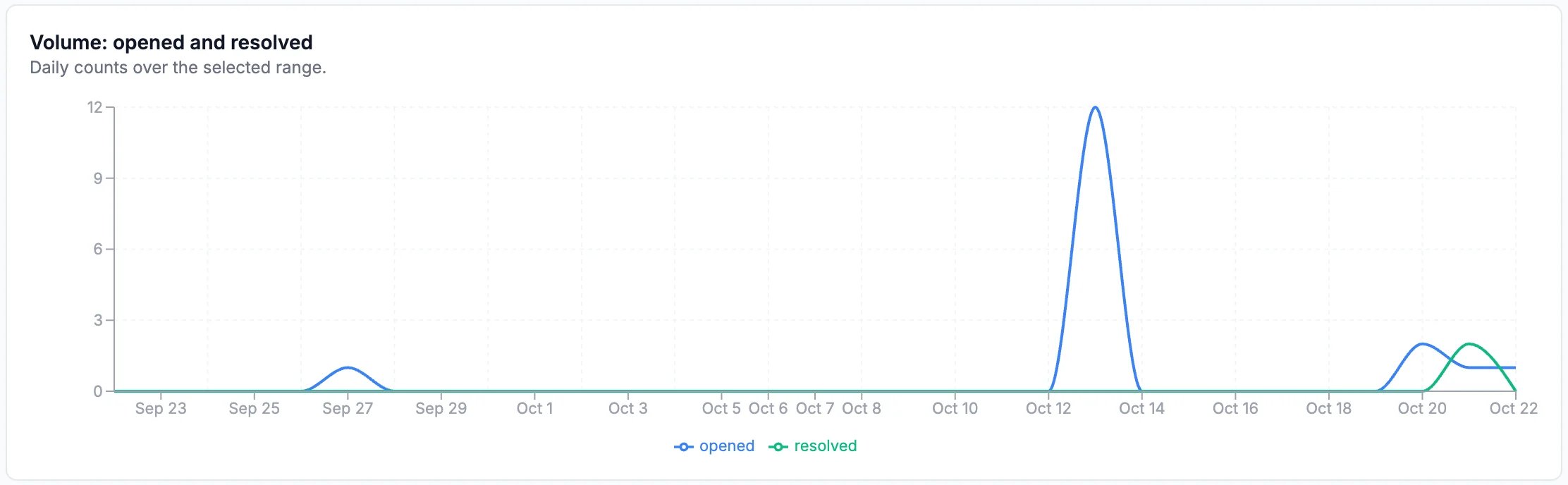
Opened and resolved, day by day
Read what customers said
What customers said lists each rating, newest first, with any comment. Click View ticket to open the conversation it came from.
A customer's rating
Good to know
- Ratings in detail: see See How Customers Rated Your Help.
- Let the assistant answer more so fewer conversations wait for a person: see Teach Your Website Assistant.