Response time targets are the promise you make about how fast you answer. Set them by how urgent a ticket is: every new ticket then gets a countdown, and one that runs past its target is flagged so it doesn’t slip. This guide reads Northwind’s targets and the one ticket running late.

Open Response time targets

Click Helpdesk in the left rail, then Routing at the top, then SLA.

Set your targets

Time to first reply is how fast someone answers a new ticket. Time to resolve, under it, is how long you have to sort it out completely. Each has a target per priority, from Urgent to Low.
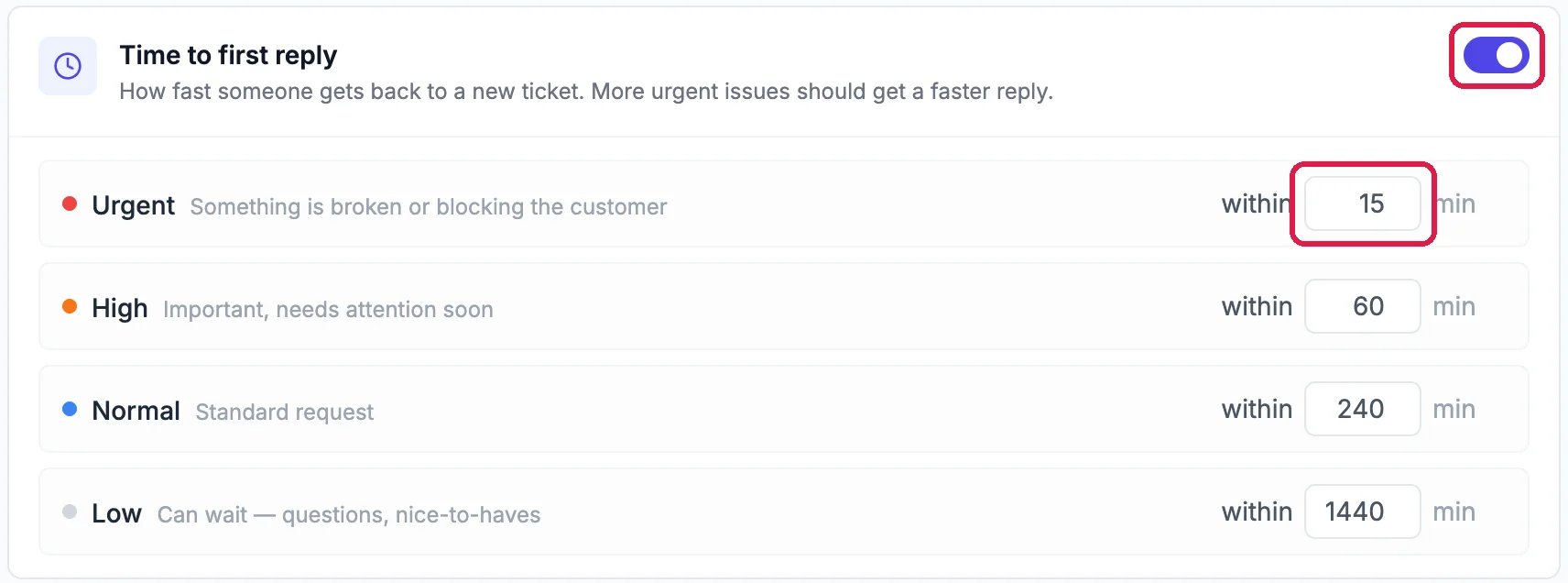
Time to first reply, switched on and outlined: Urgent within 15 min, outlined; High within 60 min; Normal within 240 min; Low within 1440 min

Answer urgent tickets within 15 minutes

Type a number in a box and click away: it saves straight away. Switch a whole section off if you don’t want that kind of target.

Decide what happens when a ticket runs late

When a ticket runs late sets what happens the moment a ticket passes its target, once per ticket:
  • Raise priority one level, so it moves up the list.
  • Notify the assignee by bell and email, or the account admins if nobody has it.
  • Post to Slack, once Slack alerts are on in Helpdesk settings.
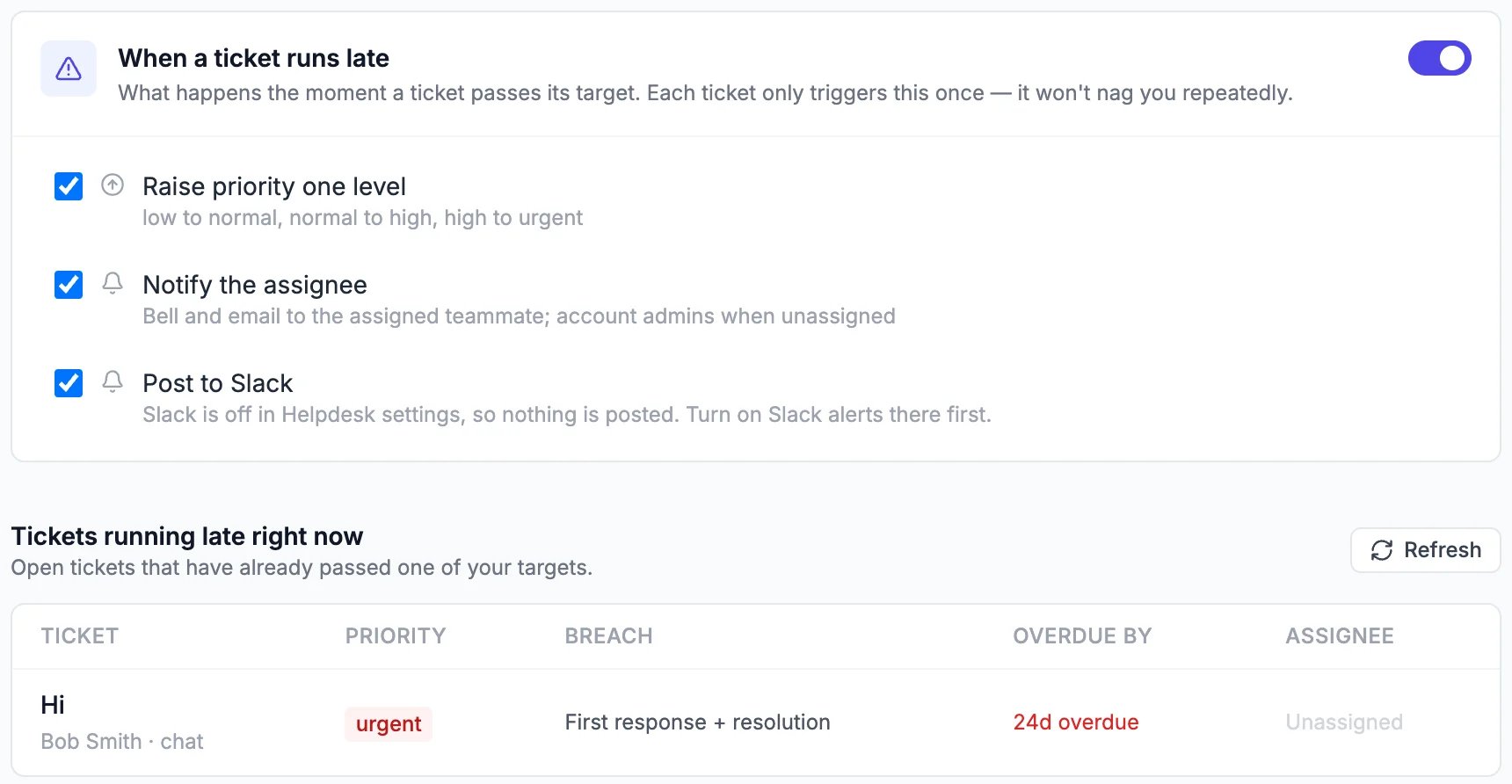
Below it, Tickets running late right now lists every open ticket past a target, which target it missed and by how much.
When a ticket runs late, switched on: Raise priority one level, Notify the assignee, and Post to Slack, all ticked. Tickets running late right now: Hi, Bob Smith, chat, urgent, First response + resolution, 24d overdue, Unassigned

What happens when a ticket is late, and which are late now

Click a late ticket to open it and answer.

Good to know

  • Each ticket shows its countdown in the SLA card on the right of the ticket.
  • How often you hit your targets is the SLA breach rate in Reports: see Check How Your Support Is Doing.