

Open Analytics
Click Communications in the left rail, then Insights at the top, then Analytics. Pick Last 7 days, Last 30 days or Last 90 days. Days and hours are shown in your browser’s time zone, and the page says which.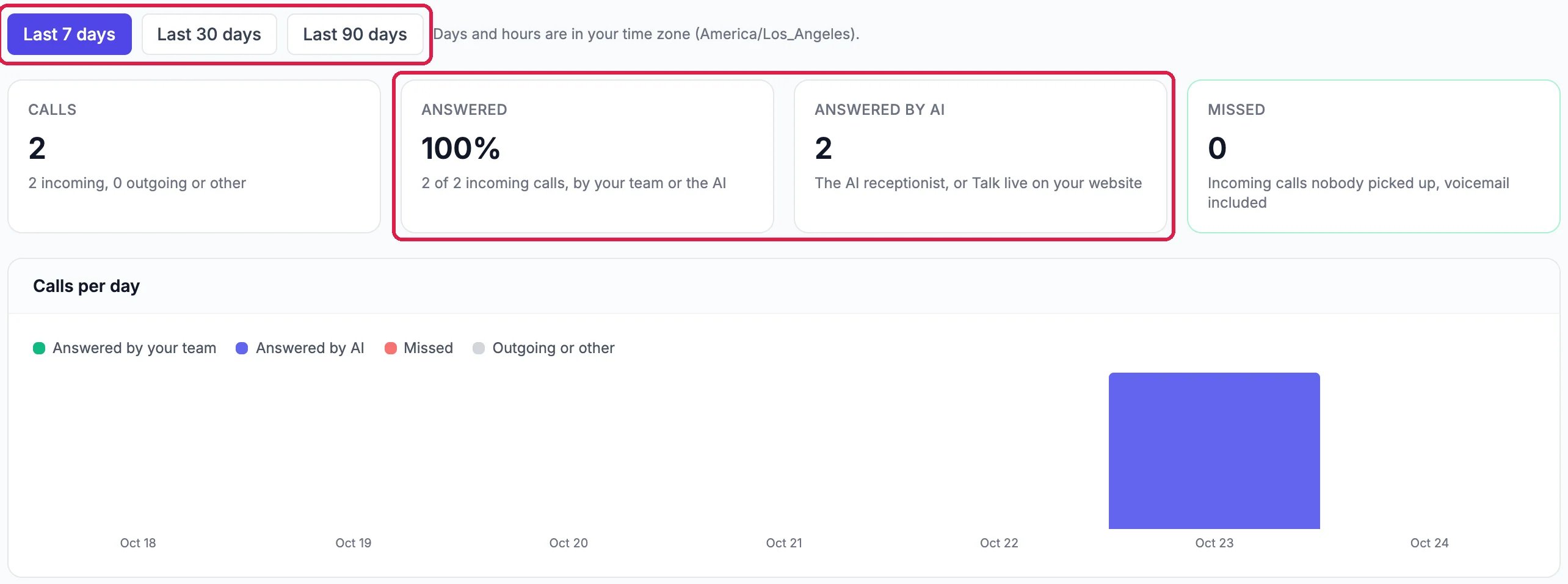
Calls, and who answered them
- Calls: every call, incoming and outgoing.
- Answered: the share of incoming calls your team or the AI picked up.
- Answered by AI: calls the AI receptionist answered on the phone, and Talk live calls on your website.
- Missed: incoming calls nobody picked up, including ones that went to voicemail.
Find your busiest times
Busiest times is a grid of the days of the week and the hours of the day. The darker a square, the more calls came in then. Northwind’s two calls were on Friday, one in the morning and one in the early evening.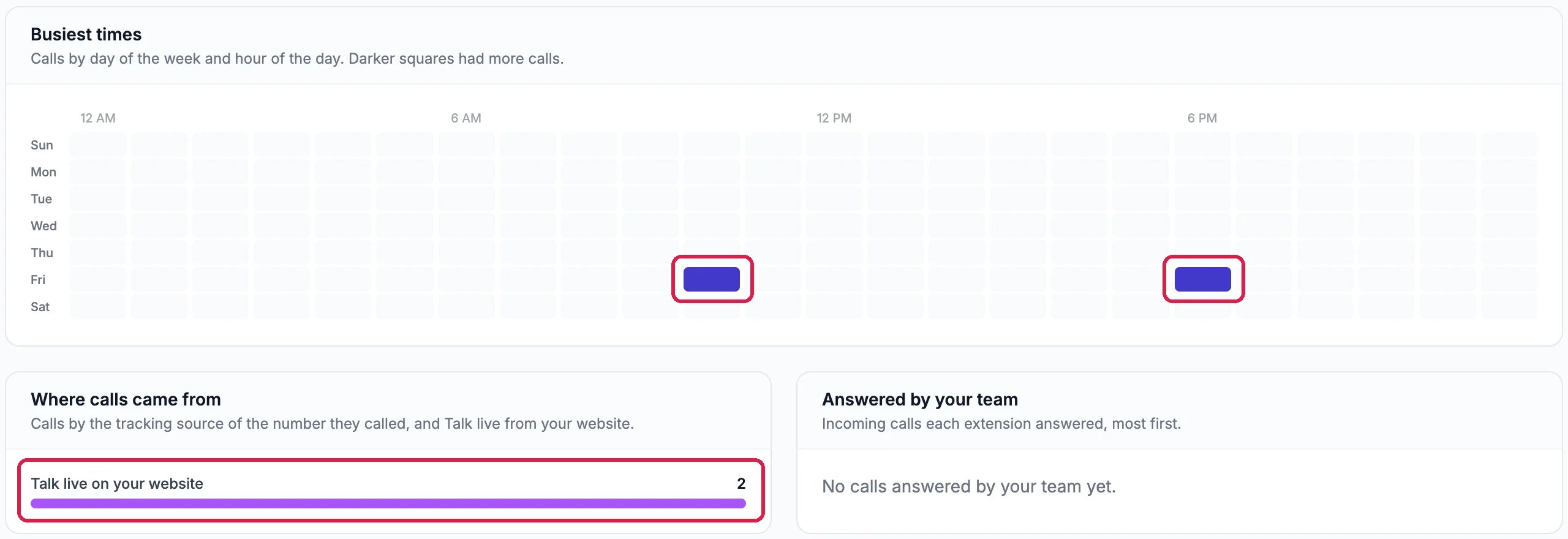
When calls come in, and where they came from
See where calls came from and who answered
- Where calls came from splits calls by the source of the number they called, such as the tracking number on an ad, and Talk live on your website.
- Answered by your team lists how many incoming calls each extension answered, most first.
Good to know
- Let the AI answer when you can’t: see Let the AI Receptionist Answer Your Phone and Let Visitors Talk to Your Assistant by Voice.
- Look at each call: click Calls at the top for the list of every call.
- What your phones cost: see See What Your Phones Cost This Month.