

Open the site’s hosting settings
Open the website, click its name at the top of the page, then Hosting. Click Production in the row of environments: Production is your live site. Development and Staging have their own switch and consent mode; everything else you set here applies to all of them. Scroll to Hiveku Integrations and find the Cookie Consent card.Turn the banner on
Click the switch on the card. Once it’s on, the card says Active and shows Customize.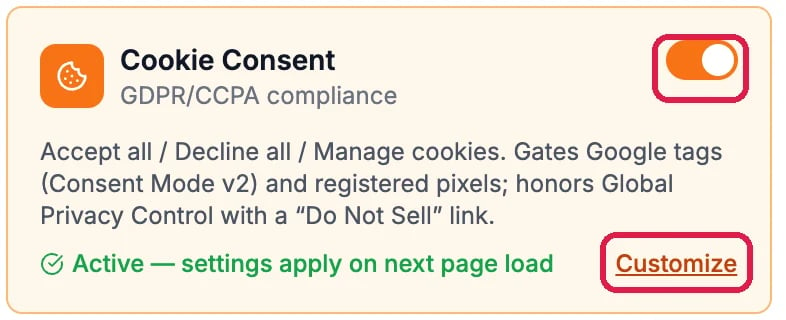
The Cookie Consent card, switched on
Choose how it behaves
Click Customize. The General tab sets the rules.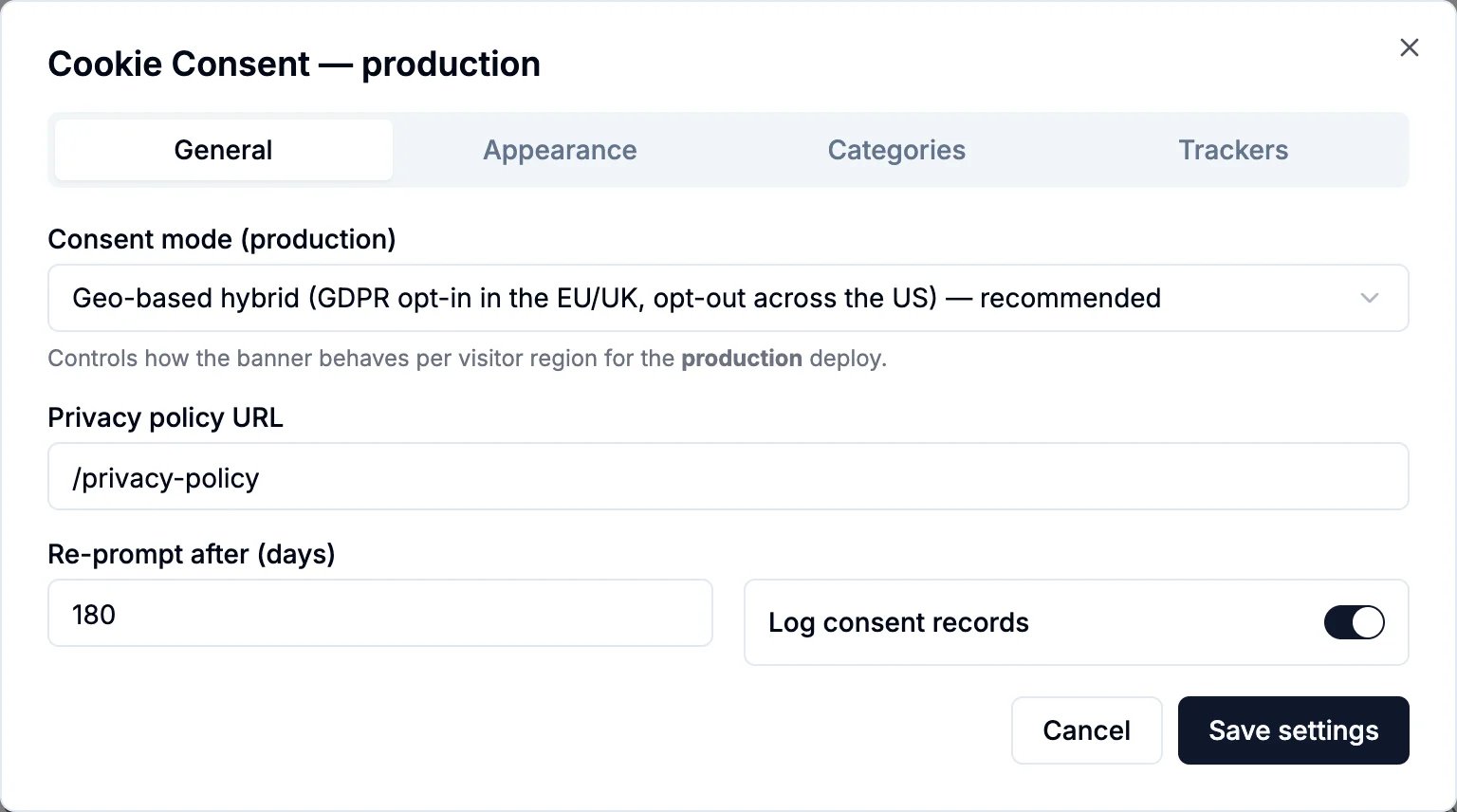
General: consent mode, privacy policy and re-prompt
- Consent mode decides what loads before a visitor chooses:
- Geo-based hybrid (recommended) asks first in the EU and UK, and loads by default across the US with a way to opt out.
- Opt-in everywhere is the strictest: nothing optional loads until the visitor accepts, wherever they are.
- Opt-out only loads by default everywhere, with a Do Not Sell link visitors can use.
- Privacy policy URL is the page the banner links to. Northwind’s is
/privacy-policy. - Re-prompt after (days) asks visitors again once their choice is this old.
- Log consent records keeps a record of each visitor’s choice.
Make it match your brand
Click Appearance. Pick a Layout (a full-width bar or a box) and a Position, set the Primary, Background and Text colors, and edit the Banner title and Banner body. The Preview shows the banner as visitors will see it, with Manage cookies, Decline all and Accept all.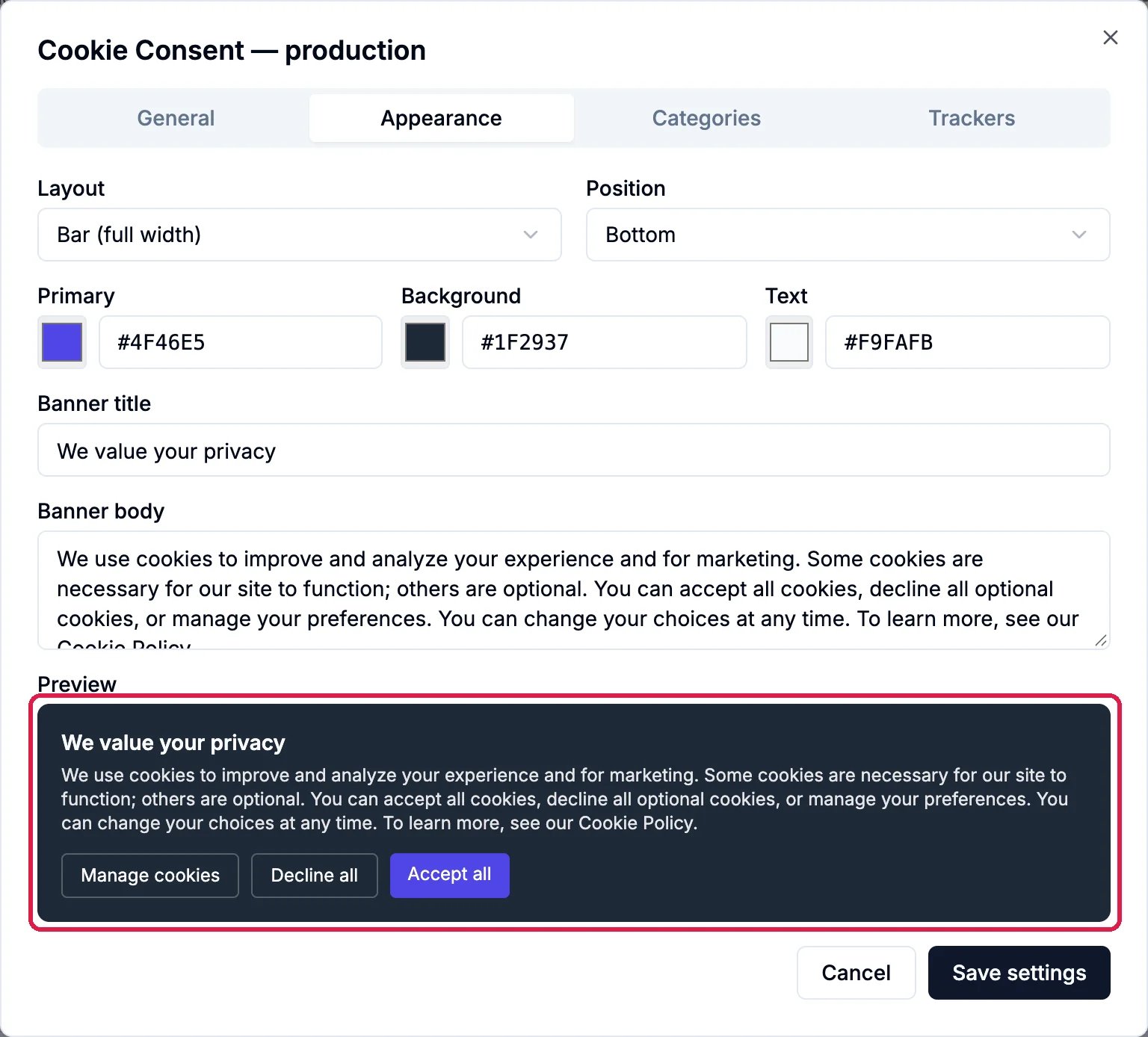
Appearance, with the preview
Check the cookie categories
Click Categories. Necessary cookies are always active. Analytics, Advertisement and Functionality are optional: Default on decides whether each starts switched on when a visitor opens Manage cookies. You can reword each description.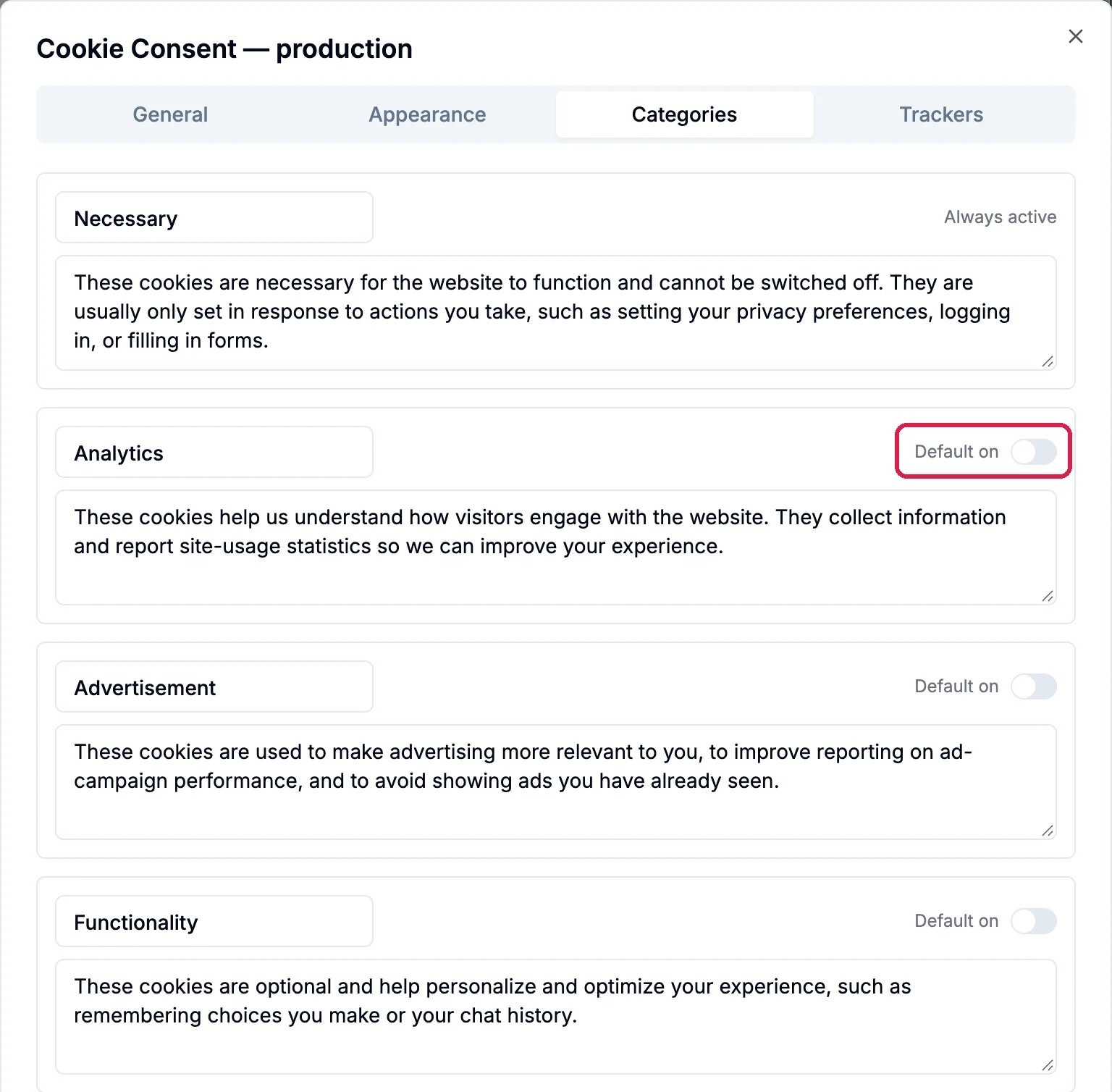
Categories, with Default on outlined for Analytics
Good to know
- Each environment has its own switch and consent mode. The banner’s look, text, categories, privacy link and re-prompt are shared by every environment, so a change you try on Development changes Production too.
- Turning it off stops the banner on the next page load. Deploy right after, so your pages stop waiting for consent too.
- Test it in a private browser window on your live site: the banner shows on the first visit.