

Listings needs your Google Business Profile connected. See Connect Google Business Profile.
See your score
Click Marketing in the left rail, then the Listings card. Your listing is shown with its score out of 100, and Score over time shows how it has changed.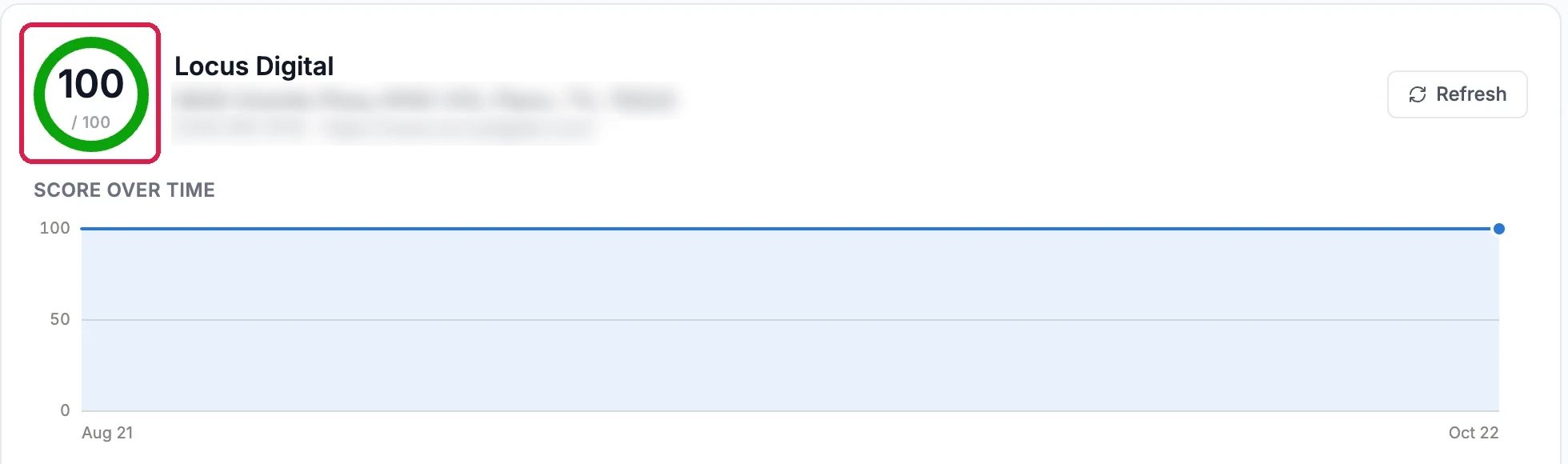
A complete listing
See what to fix
What to fix checks the ten basics Google looks at: name, address, phone, website, categories, hours, description and service area. Anything missing is listed with a way to fix it: a field you can edit here, or Fix with AI, which suggests the change for you to approve before anything changes on Google.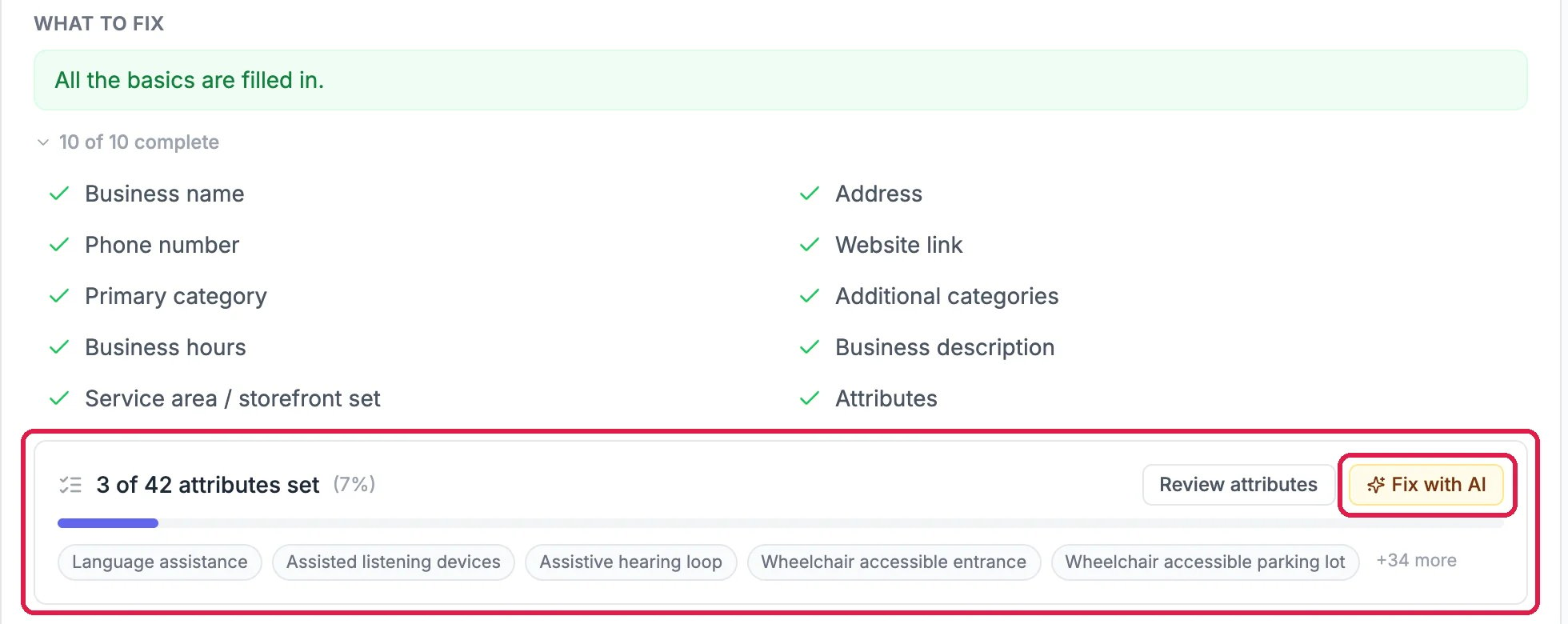
All the basics are in, but few attributes
See how people found you
Open Performance to see the last 30, 60 or 90 days: calls, direction requests and website clicks from your listing, how often it was shown, your rating, and whether people saw you on Maps or in Search, on a phone or a computer.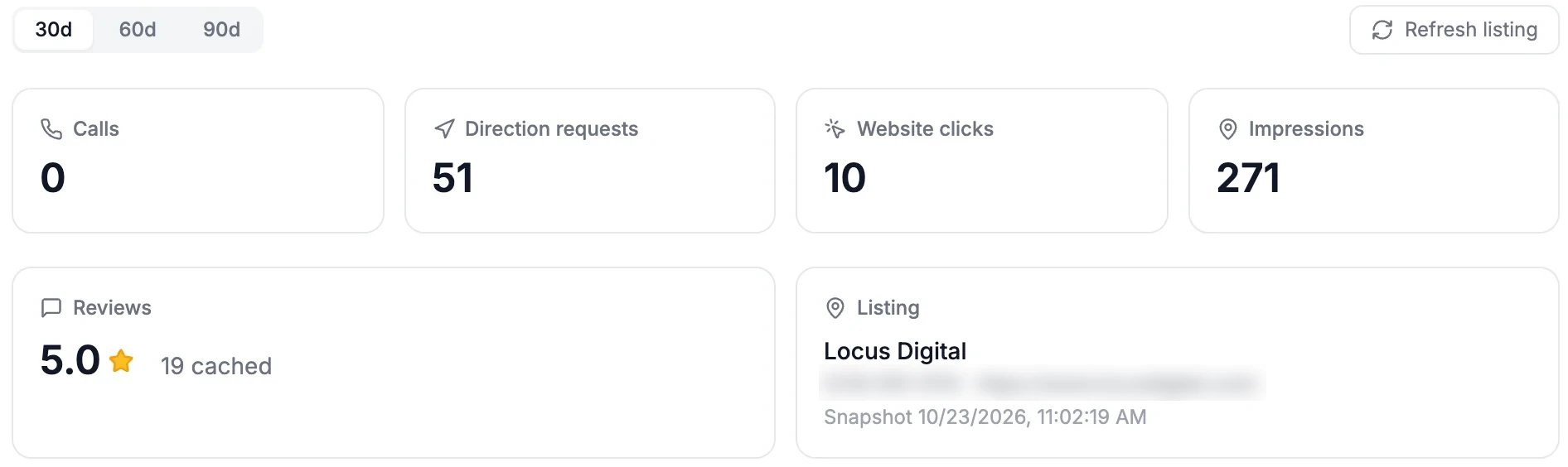
The last 30 days
Check your other directories
Open Other directories. Mark where else you’re listed, such as Apple, Bing, Yelp and Facebook, with the status next to each, and open their own consoles to fix them. Copy NAP block copies your name, address and phone exactly as they are on Google, so every directory matches; search engines trust a business that’s the same everywhere.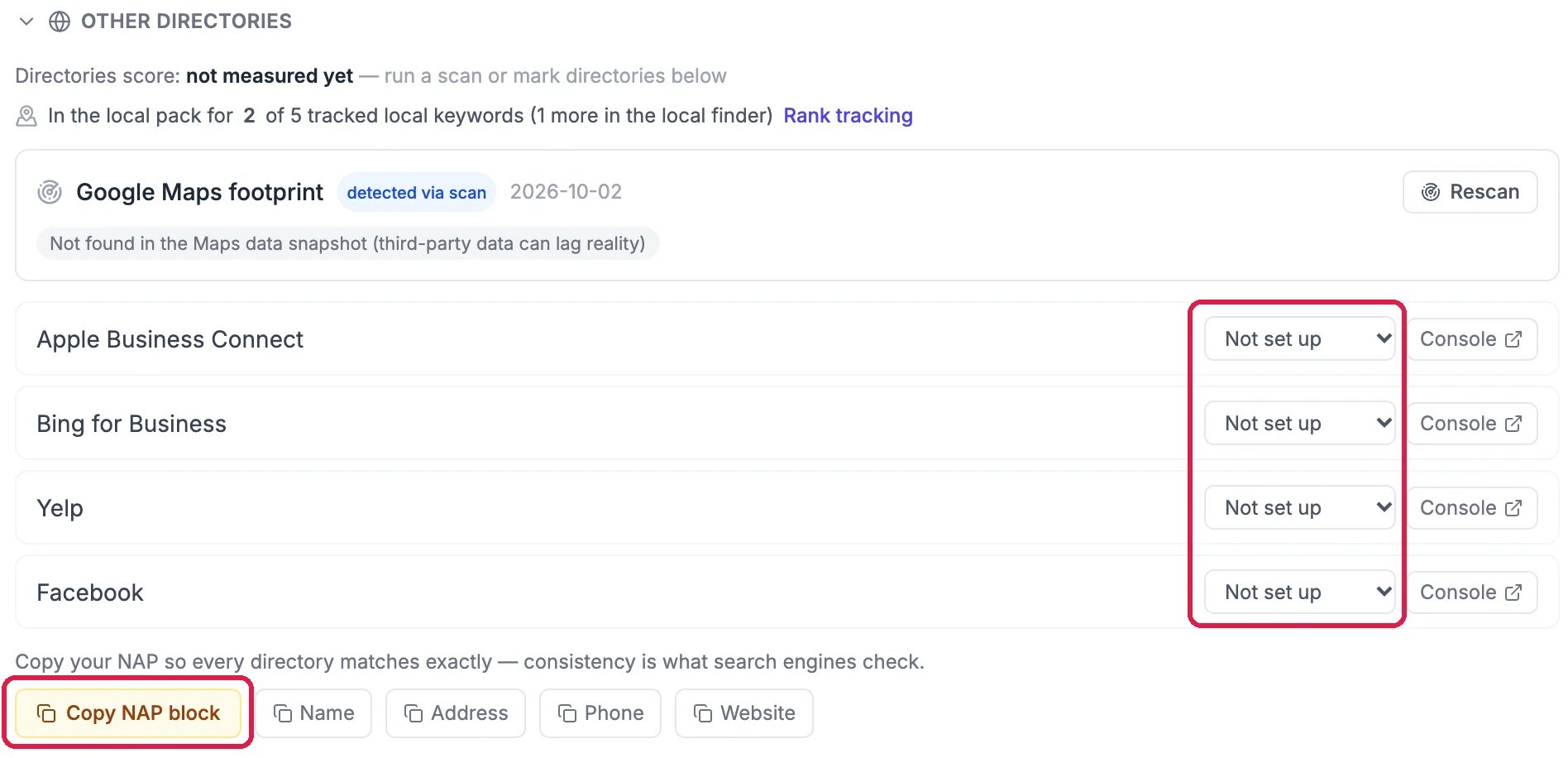
Apple, Bing, Yelp and Facebook
Good to know
- Name or address wrong? Change those on Google itself: Google checks your business again when they change, so Hiveku doesn’t do it in one click.
- More than one location? Add location adds another listing to score.
- Reviews and posts live in SEO, Local (GBP).