

Open your site’s analytics
Click Websites in the left rail, then ⋮ on the site’s card, then Analytics. Choose the dates at the top right, such as Last 30 Days. Live now, at the top, shows anyone on your site at this moment.Read the numbers
Below the map, the tiles count your Visitors, their Sessions (separate visits) and Page Views, how long a visit lasts on average, the Bounce Rate (visits that saw only one page) and the Calls from your tracked phone numbers. Devices and Browsers show how people view your site.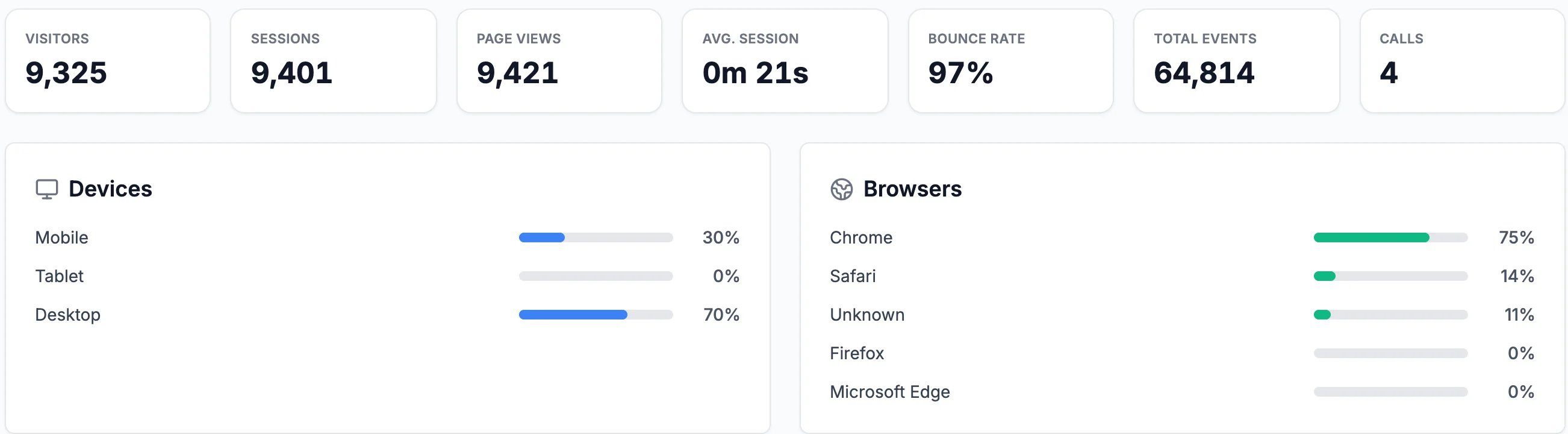
The last 30 days
See where they come from and what they read
Further down, Visitor Locations shows the countries and cities visitors are in, Top Traffic Sources how they found you (typing your address, Google, another website), and Top Pages your most-read pages. Click a page for its details.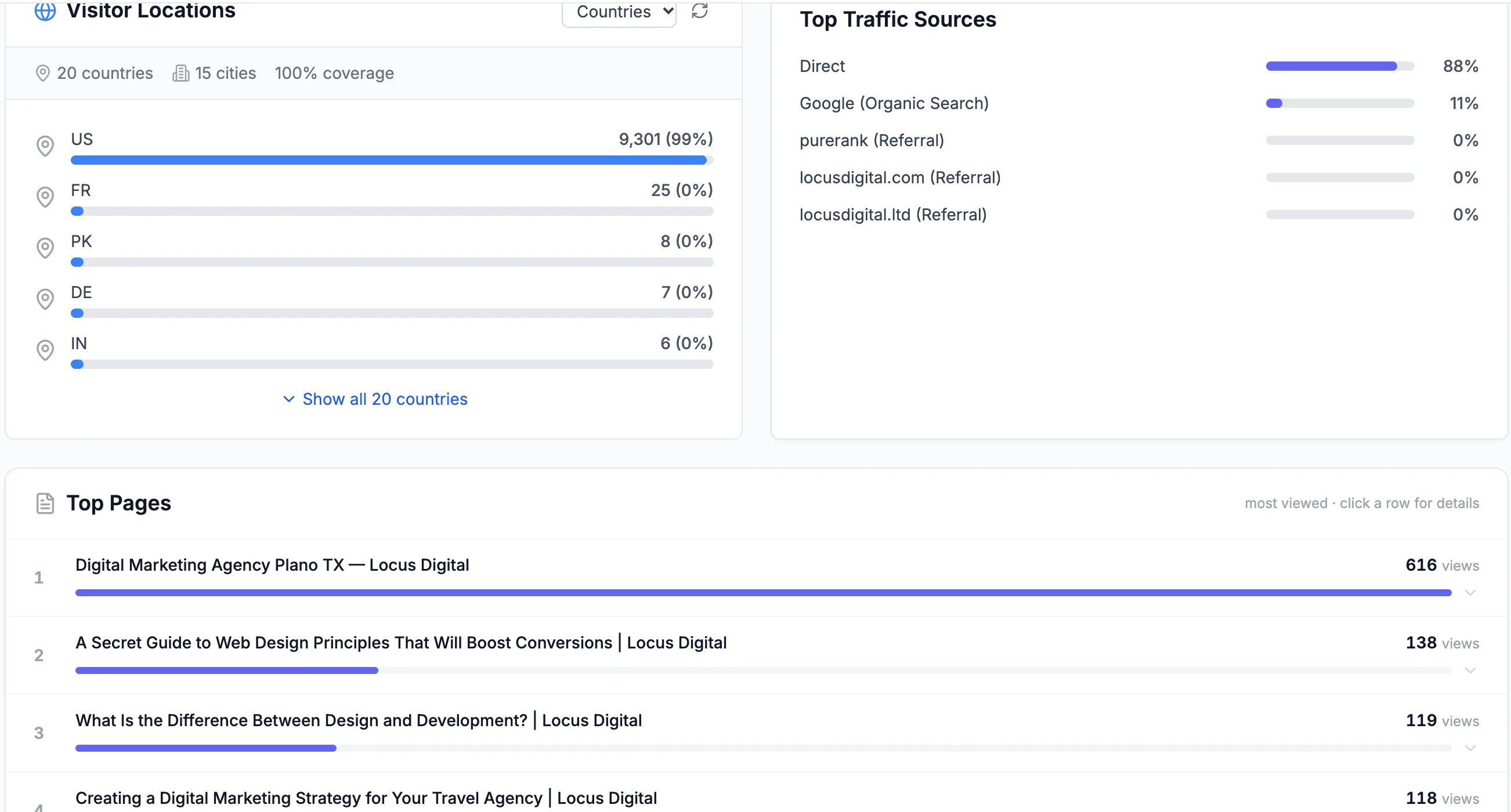
Where visitors are, how they arrived, and what they read
Look at individual visitors
Click the Visitor List tab. Every visitor in the dates you chose is listed, with where they came from, how many times they’ve been and what they did. Most are anonymous and listed as Visitor with a short code; click one to see each visit, the page they landed on and how many pages they read.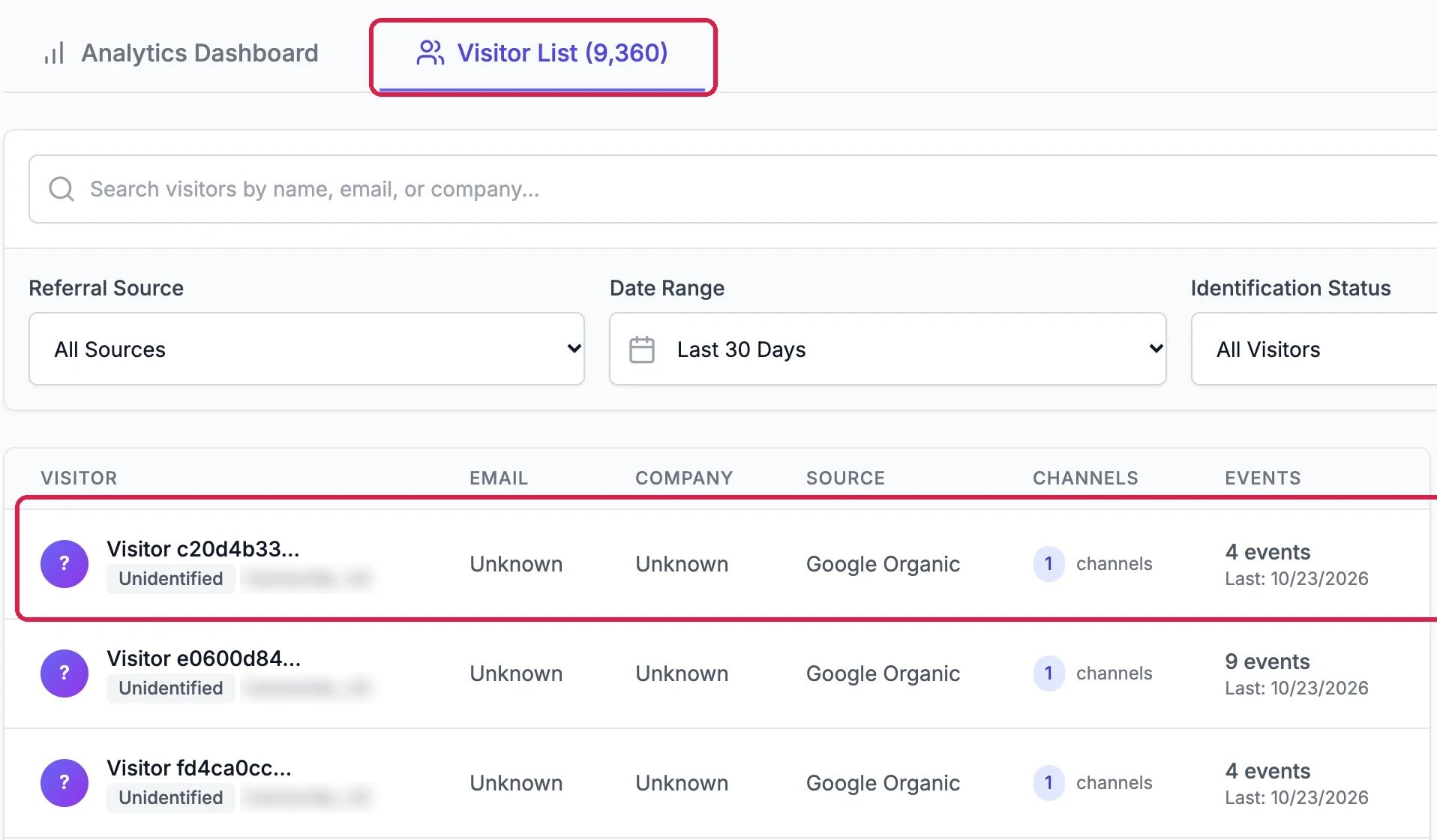
Each visitor
Good to know
- Where people leave: see See Where Visitors Drop Off Before They Contact You.
- Dates and times follow your own time zone.